BEFORE YOU SEND

Before you send,
pause once.

Email addresses, phone numbers, API keys, phrases you register. Small Chrome extensions that give you one check inside the browser — so you catch it before it leaves, rather than after.

  • Free
  • No external requests
  • Nothing you type is stored

A working demo — try it ↘

What you are about to ask an AI Check before sending
Detecting 3 item(s) in this field

TOOLS BY MOMENT

Choose by the moment,
not by the product name.

Pasting into an AI chat. Attaching a file. Sending at midnight. Opening a link. Start from the moment you want to stop at, and open that tool from there.

01 · BEFORE SEND

I almost sent it without checking the recipient or the body.

When it finds things like email addresses or phone numbers, it shows a confirmation just before sending. It does not rewrite your text.

Safe Privacy Gate
02 · AI CHAT

I nearly pasted an internal email straight into an AI chat.

It replaces things like email addresses and API keys inside the input field. You see the result before you send.

Safe Privacy Mask
03 · ATTACHMENT

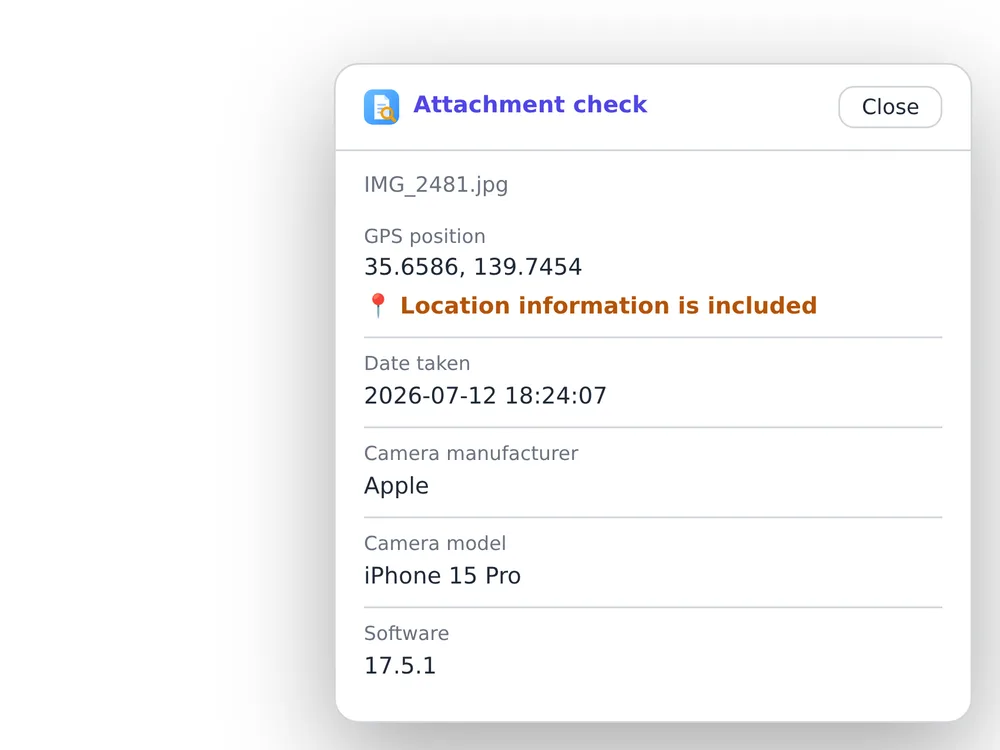
I attached a photo. It carried where it was taken.

It shows image location data, author names, tracked changes and hidden sheets before you send.

Safe Attachment Check
04 · 01:17 AM

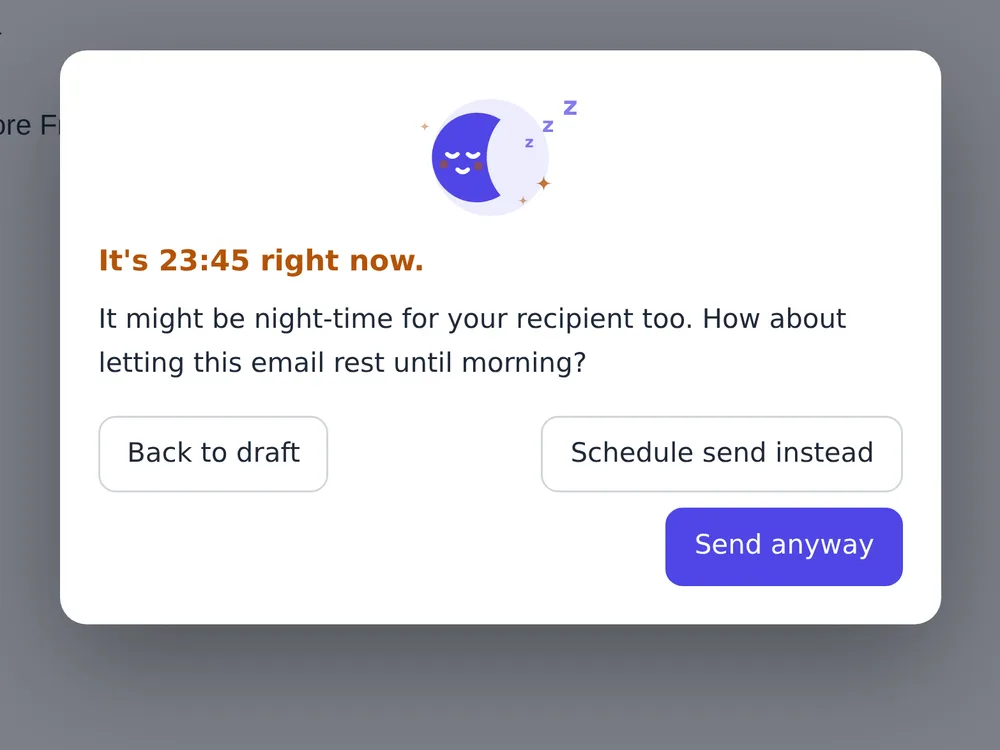
1 a.m. I was about to send it on impulse.

Rather than stopping you, it quietly offers three choices: back to draft, schedule it, or send now.

Safe Night Check
05 · INBOX

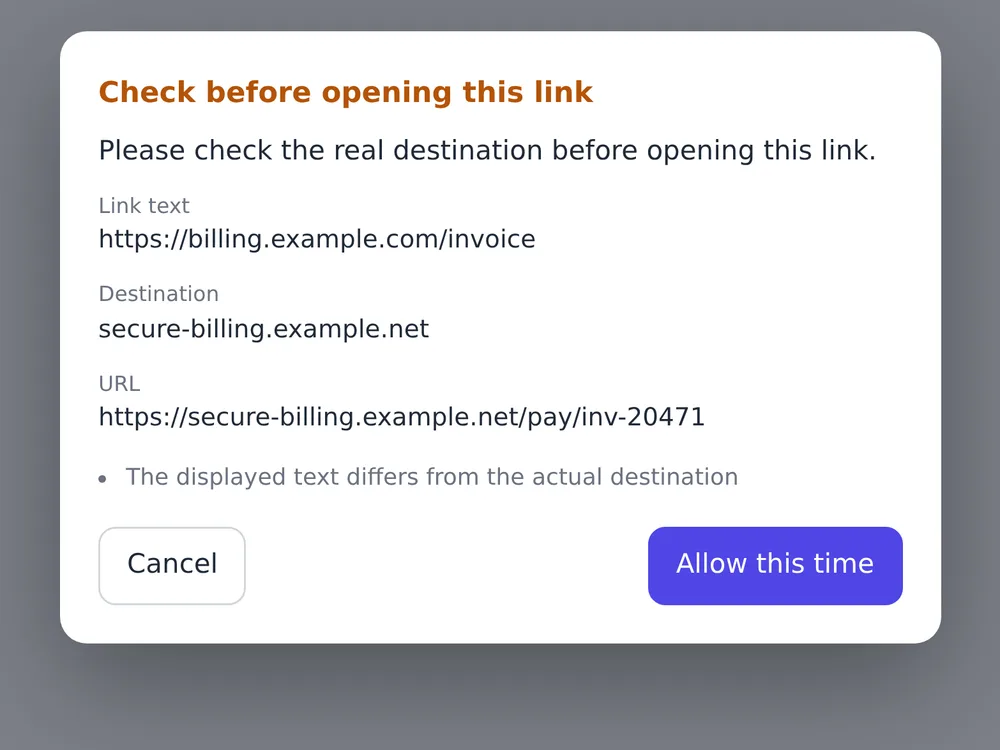
An invoice notice. I had not looked at where the link went.

Just before it opens, it shows the link text and the actual URL side by side. It does not declare anything dangerous.

Safe Mail Link Check
06 · A DATE

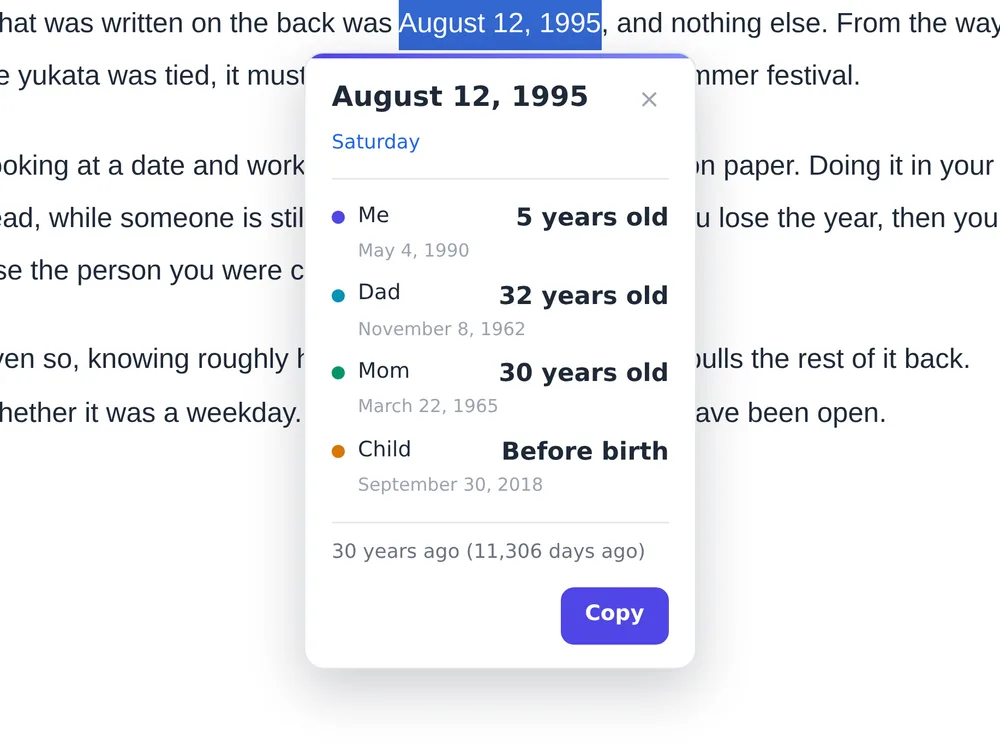
“1995” in an article. How old was I then?

Select a date on the page and it shows the ages at that time, the weekday, the Japanese era year, and how long ago it was.

Find My Age

THE TOOL ROOM

Before you send, before you open,
before you paste.

Six tools — one check for each small hesitation in the browser. Pick a product to see how it behaves and how it differs by design.

BEFORE SEND · SAFETY & PRIVACY On the Chrome Web Store

Safe Privacy Gate

· v0.1.8 Notice

Notice it the moment you try to send.

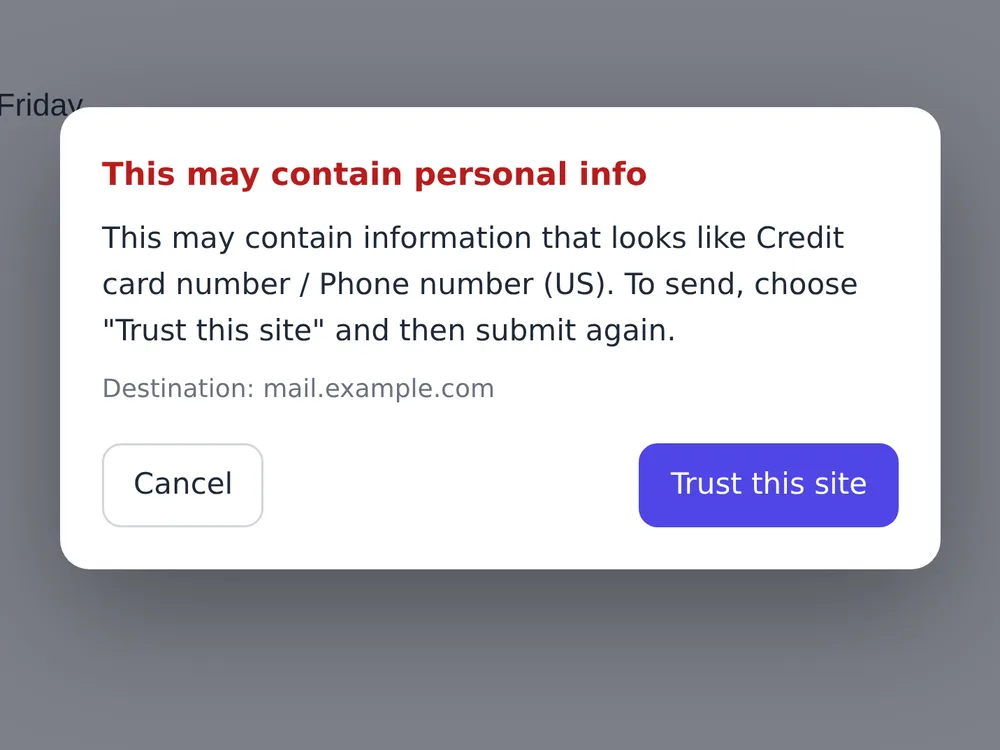
It does not rewrite your text. It finds things like email addresses and phone numbers, shows a confirmation, and hands the decision back to you.

  • No text changes
  • No automatic resend
  • No external requests
A Safe Privacy Gate confirmation dialog over a mail compose window, headed “This may contain personal info”, naming a credit card number and a US phone number, with two buttons: Cancel and Trust this site.
detect → pause → decide
Action
Shows a confirmation
Decision
You decide
Data flow
On your device only
06
Released
00
Extension network requests
00
Accounts required

CONCEPT

“Legacy” — using the word
in its older sense.

In software, “legacy” has come to mean something outdated. Legacy Tools uses the word in its older sense — something handed down.

Trust over trends.

Not tools you keep switching between, but tools you can still rely on ten years from now.

Small, and made with care.

Not one large tool that does everything, but small tools that do one job properly — built one at a time.

What is yours stays yours.

Because the design never takes your data, the tool can simply stay beside you.

VERIFY, NOT TRUST

Not “it is safe,”
but something you can check.

Instead of calling it safe, each product publishes its permissions, its network activity and where it stores things. Being able to check that yourself explains more than any wording could.

TRY IT YOURSELF

You can check the traffic yourself: content scripts running in the page show up in the page's DevTools, and the extension's service worker has its own DevTools, opened from chrome://extensions.

See the transparency page
How the extensions handle data and network SUMMARY
External network requests
0 requests
Storing what you type
Never
Analytics or telemetry in the extension
None
Where settings are stored
chrome.storage.local
Permissions requested
Only what the feature needs
Account
Not required

This table describes the extensions. For analytics on this website itself, seethe site privacy policy.

GET STARTED

Start with the one
that caught your eye.

No account sign-up. Add it to Chrome and start using it right away. Remove it any time if it does not suit you. All six are free.

No sign-up · Free · Remove any time

A small workspace facing an alley, at night in Tokyo

At the end of the day, at a desk at night.
No rush, one at a time. Not perfect, but honest.