
Safe Privacy Gate
Notice before you send.
A Chrome extension that alerts you to possible personal or confidential information just before you send text to an AI chat or web form.
Free, no account needed. Your text is checked on your device.
See permissions and how data is handled →USE CASES
Just before you press send
Check for information you may have overlooked when pasting text, just before you send it.
Pasting a long block of text into an AI chat
Once you have pasted in quotes from documents and mail threads, it stops being obvious what came along with them. As you send, it names the kind of information it may have found, so you can review and delete it, or send anyway.
Submitting an enquiry or sign-up form
You may check the name and contact fields carefully but paste an entire email thread into a free-text box. The extension shows a confirmation when you submit, giving you a chance to review what you are sending.
Attaching a file whose name still carries a name
It is easy to check a file's contents and overlook its name. The extension checks attachment names as well as text fields, so you can review them before sending.
Pasting a thread into a ticket or an internal tool
Internal tools are usually visible to more people than you picture while writing. Before you post, you can see whether a customer’s email address or account number came across with the text.
Watching for numbers only your organisation uses
Employee numbers and project codes may use formats that the built-in rules do not cover. Add your own rules to include them in the check before sending.
Features
Designed to stay out of your way.
When a rule matches, the extension pauses that submission and asks you to check. It does not edit your text or send or resend anything automatically. You decide whether to continue.
Checked locally
Every check runs entirely inside your browser.
No external sending
Nothing you type is ever sent to an external server.
Never rewrites your text
It never reformats or edits the text you paste.
No auto-resend
Whether anything goes out is decided by your click alone.
DETECTION & SETTINGS
Detection & settings
See what the extension detects and which settings you can change.
1What it detects
On any site
Formats that look the same no matter the country or region.
Tuned to your region
Number formats that differ by country, matched to your region.
Cards and other numbers are checked against their check digits, so unrelated strings of digits are far less likely to trigger a warning.
2What you can adjust
Every setting saves automatically and applies to open tabs right away.
Enable protection
Adds a quick check before sending on every site (trusted sites excluded).
Detection rules
Out of the box, API keys, credit cards and your region’s phone and bank-account formats (where supported) are on; turn on email addresses and other items in settings. Toggle regional presets on or off, and add your own words or regex.
Trusted sites
Register sites that should never show a warning (subdomains included).
File-name check
Warns on sensitive words in attachment file names (contents are never read). An upload the site starts the moment a file is chosen cannot always be stopped.
Country & region
Detected automatically; switch manually any time.
Display language
Japanese, English and Simplified Chinese, chosen automatically from your browser’s display language.
Max scan length
Upper limit of characters scanned at once (default 200,000).
HOW IT WORKS
A gentle pause at the moment you send
The extension checks when you try to send. If no rule matches, your submission continues as usual.
Catch the moment of sending
It checks only the text and file names about to be sent, on your device. These four actions trigger a check.
A plain Enter is a line break, so it is not blocked — except on AI chat sites where Enter itself sends; there it is checked too.
Stop it on the spot if found
If something the rules cover may be present, that send is paused and a confirmation dialog appears. It never forbids sending — the final decision is yours.
You decide
Just two choices, and never an automatic resend. For safety, “Stop sending” is selected first.
GET STARTED
Install & use
Install the extension, pin it to the toolbar and open its settings.
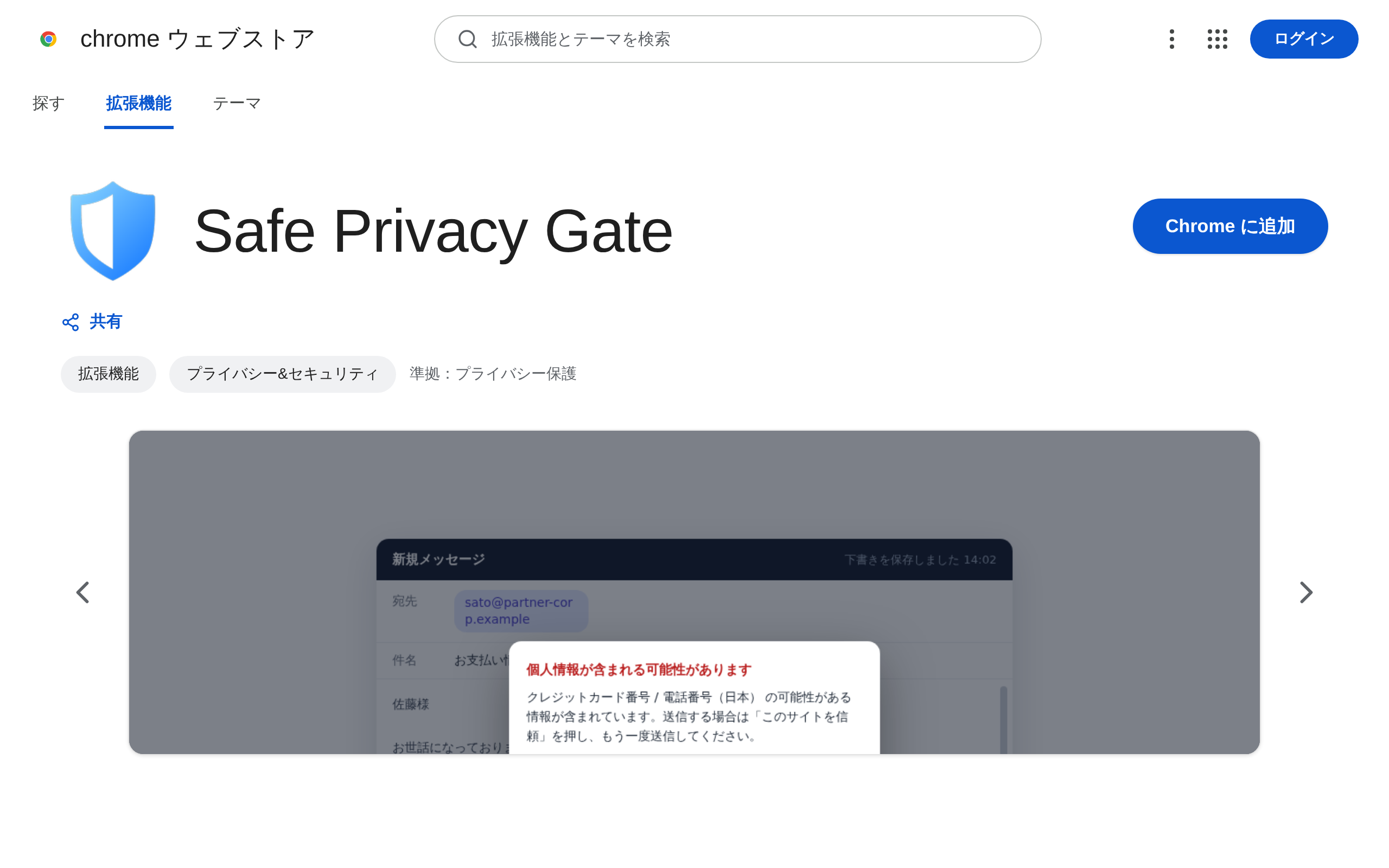
1Install
Just press “Add to Chrome” on the Chrome Web Store.
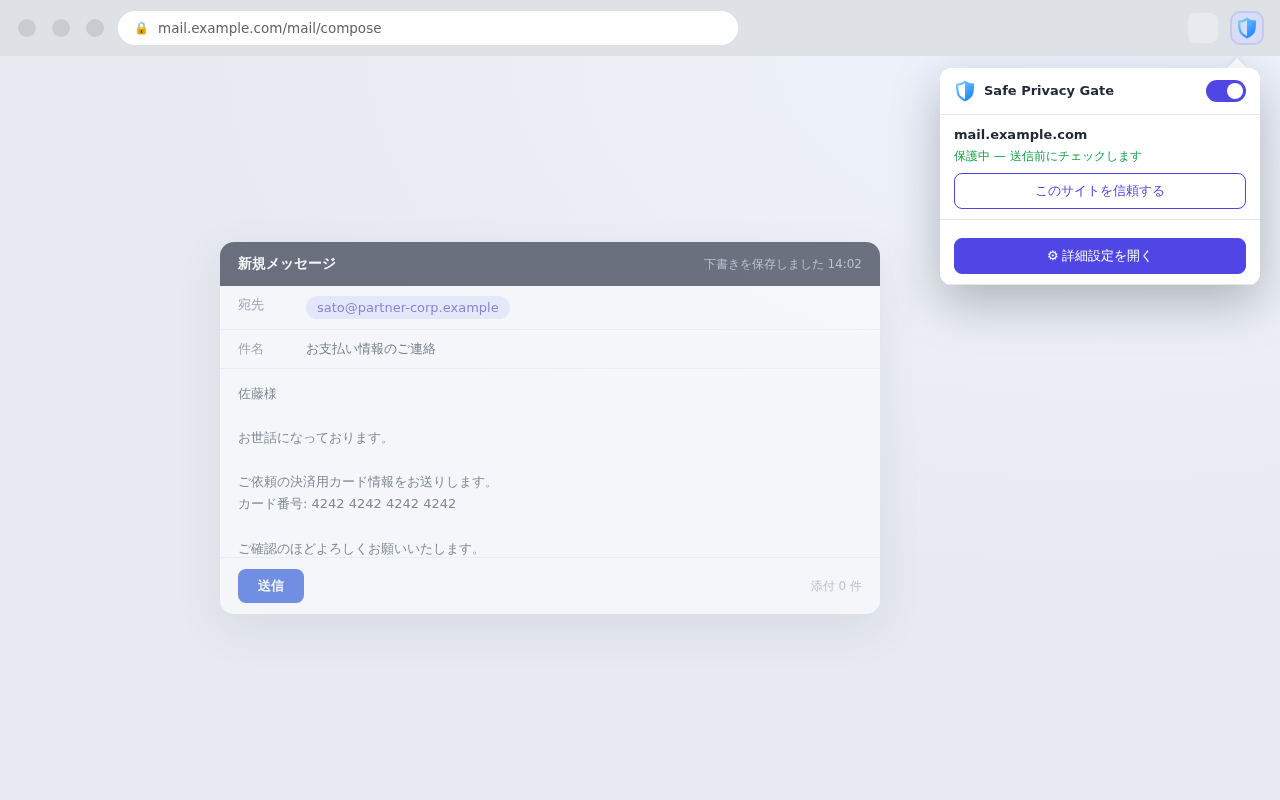
2Pin to the toolbar
Open the extensions icon (the puzzle piece) at the top-right of Chrome and pin Safe Privacy Gate so it’s always one click away.
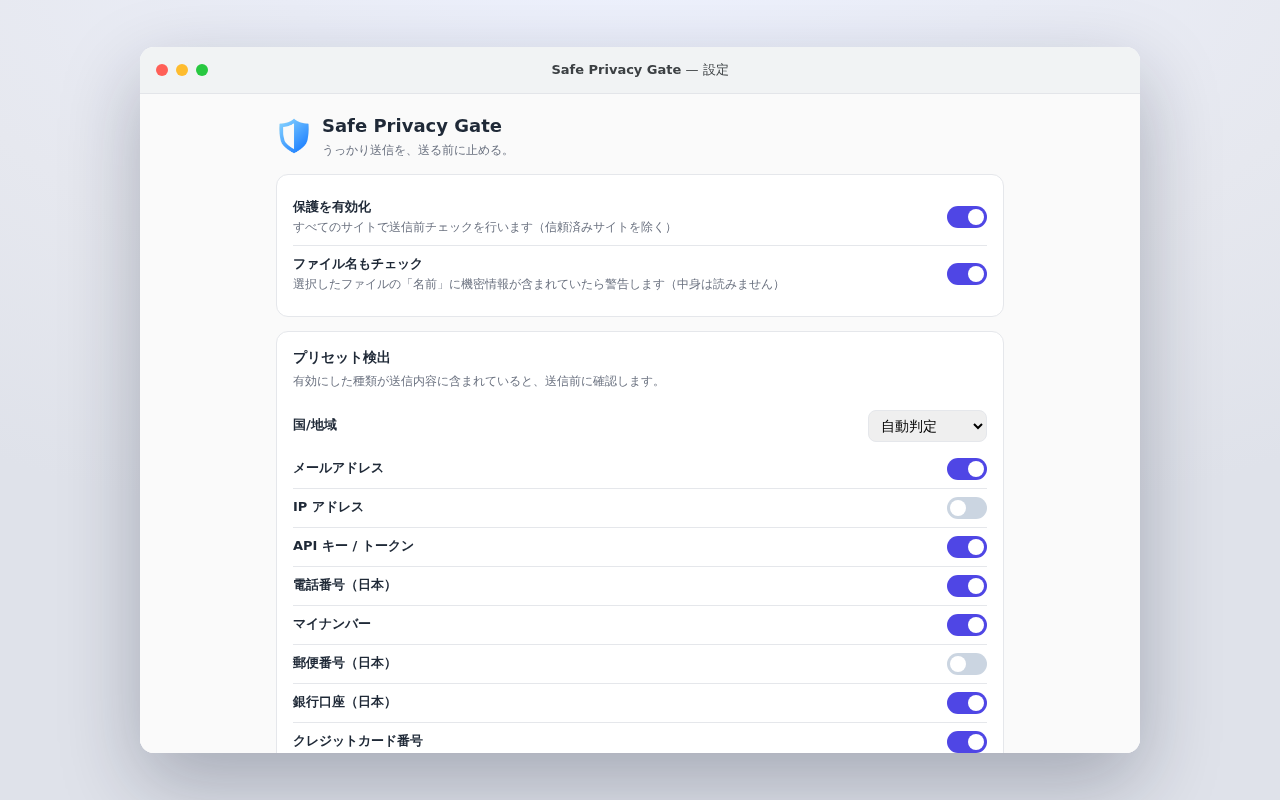
3Open the settings
Right-click the icon → “Options,” or use the gear in the popup. Adjust protection on/off, detection rules, and trusted sites.
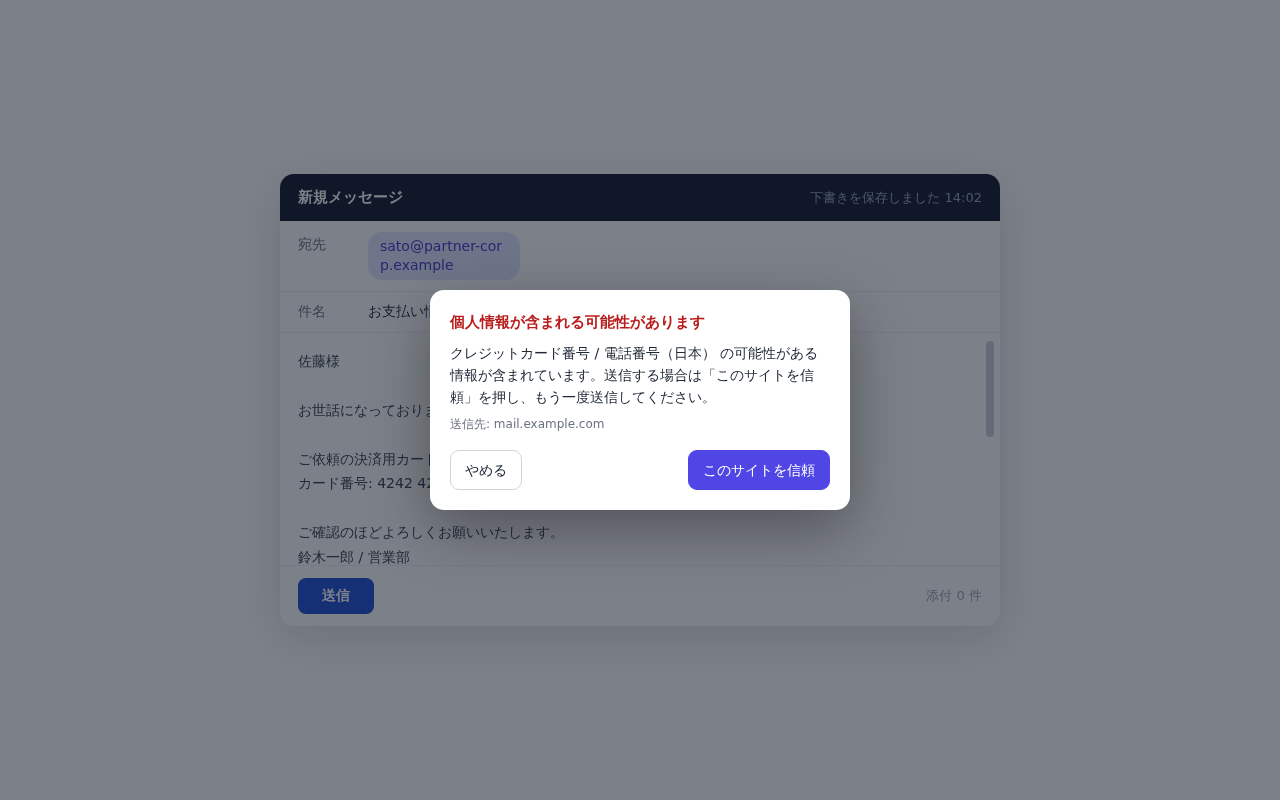
4See it in action
Paste something sensitive into AI or a form and send — a confirm dialog appears before it goes out.
Open it any time from the extensions icon (the puzzle piece) at the top-right of Chrome.
PRIVACY
Our privacy promise
The extension checks your text without storing it or sending it to an external server.
What you type never leaves this extension.
Checks run on your device. There are no server requests, analytics or telemetry.
Where data lives
Only your settings are stored on your device (chrome.storage.local) — the text you type is never saved.
External traffic
No network requests, usage analytics, or telemetry.
Permissions needed
Just settings storage and detecting send actions — it runs on minimal permissions.
Verify it yourself
Traffic from the extension itself (its service worker) shows in the dedicated DevTools opened from chrome://extensions; traffic from the content script running in the page shows in the page’s own DevTools (F12).
Frequently asked questions
COMPARE
Gate or Mask — which one?
Both tools work before you send. Choose based on whether you want a warning or a replacement.
| Aspect | Safe Privacy Gate | Safe Privacy Mask |
|---|---|---|
| Before you send | Detects and warns (notice) | Detects and replaces (hide) |
| Rewrites your text | No | Yes (by default while typing, on paste and just before send) |
| Automatic masking | — (warns only) | Yes |
| Final decision | You | You |
| Where it works | All sites (trusted ones excluded) | Major AI chats + fields you add |
| Custom rules | Words & regex | Words & regex (unlimited) |
| External sending | None | None |
Choose Gate for a warning without changing your text, or Mask to replace matching information before sending. You can also use both.
Take a moment to check before you send.
Free to use, with checks that run entirely in your browser.
View on Chrome Web StoreLEGAL
Before you start
Read the privacy policy and terms of use below.