
Site Operator Check
See who runs this site before you type.
A Chrome extension that shows the operator information written on a page, with excerpts showing where it was found. Run it from the toolbar icon. Primarily designed for Japanese websites.
Free, no account needed. Site operator information is checked on your device.
See permissions and how data is handled →USE CASES
Check who runs a site before entering your details
See what the page says about its operator, with an excerpt for each finding. The extension does not assess whether the site is safe.
Before typing an address or card details into a new shop
You tend to go looking for the operator only once you are at the checkout, then scroll all the way back to the footer. One press of the toolbar icon lines up the company name, address and contact details, quoted from wherever they were found.
Checking whether a site says who runs it, before you sign up
Each item is labelled Stated, Hint or Not confirmed. You can see which operator details the page provides and which could not be found.
Checking the governing law behind an overseas service
These are the lines you reach only by reading the terms to the end. Governing law, jurisdiction and country are shown as separate rows, and when the page itself is the terms or the policy, its body is read too.
Assessing a service you might use at work
Where what you type is submitted, and which third parties the page pulls in, are not visible from the design. Data storage, transfer destination, where input is sent, and the other origins being loaded are each shown as their own row.
Features
It shows. It does not judge.
See the information found on the page and the items that could not be confirmed. There are no scores, star ratings or colour-coded safety verdicts. You decide what to do with the information.
Never reads what you type
It never touches a field’s value, files, the selection or the clipboard.
No network
No networking API exists anywhere in the shipped code.
No safety verdict
There is no score, no trust rating, no star rating and no traffic-light colour.
Always with evidence
You can see where each statement was found, quoted in place.
WHAT IT SHOWS
What it shows, and how far it goes
Information is grouped by how the page presents it: explicitly stated, suggested by a clue, or not confirmed.
1Three levels of certainty
Claimed as the operator
Found where a site names its own operator: a legal notice, structured data, terms.
Reads that way, but is not a claim
A company name in the footer, a site name in meta — operator-like, but not a statement.
Could not be confirmed from this page
What was not found is not hidden either. Finding nothing does not mean a site is safe.
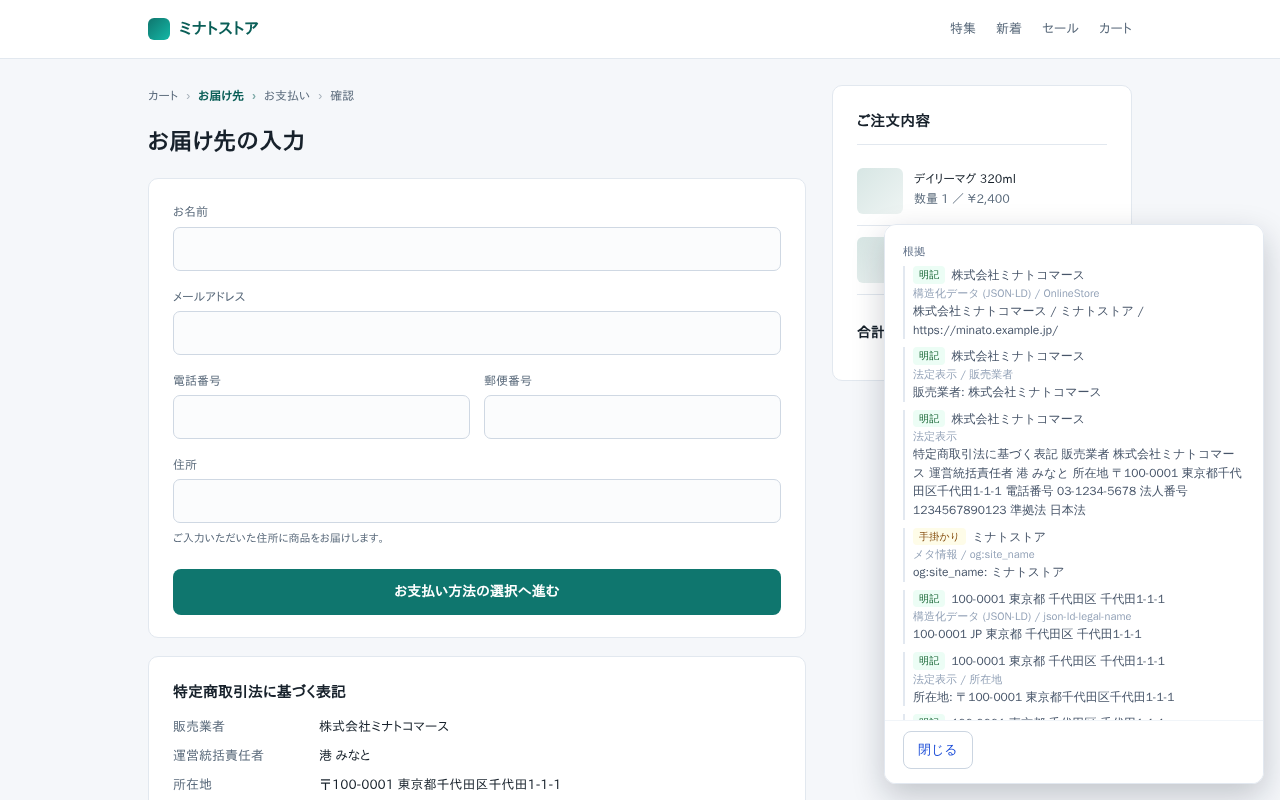
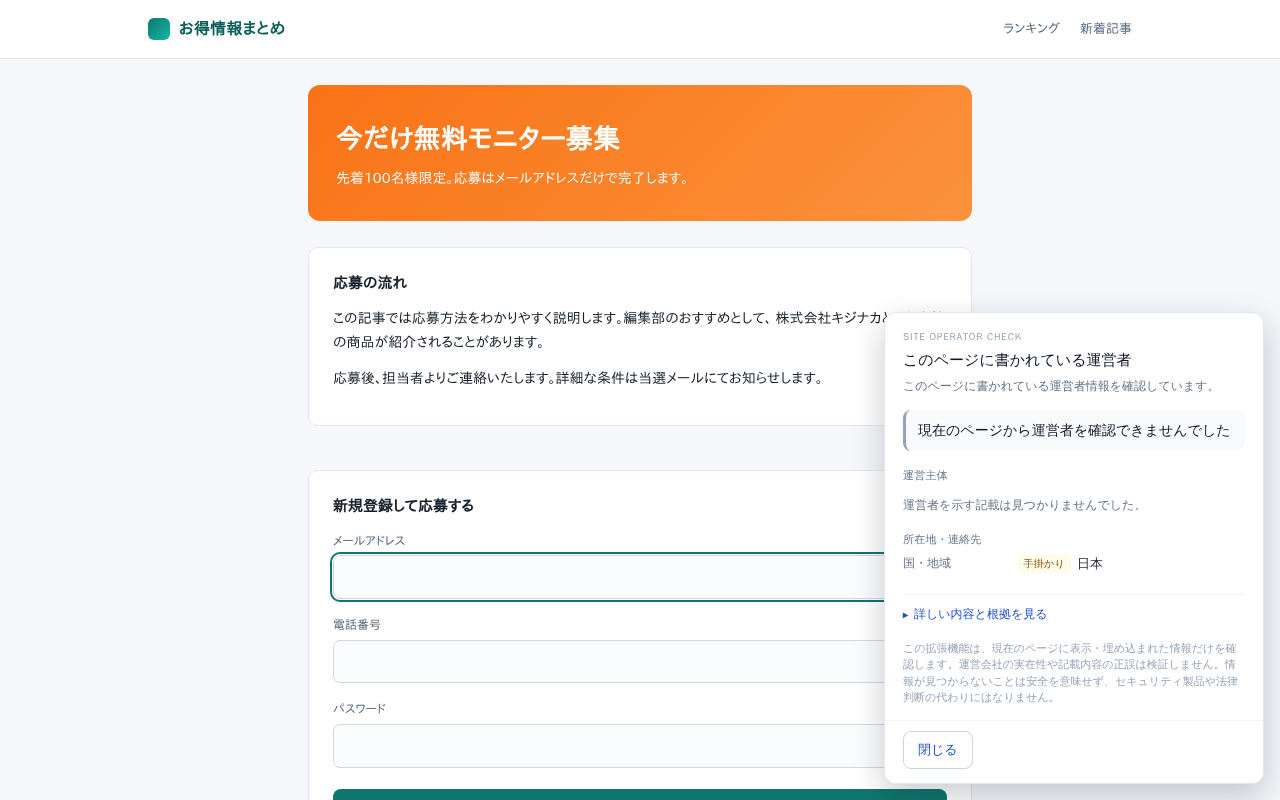
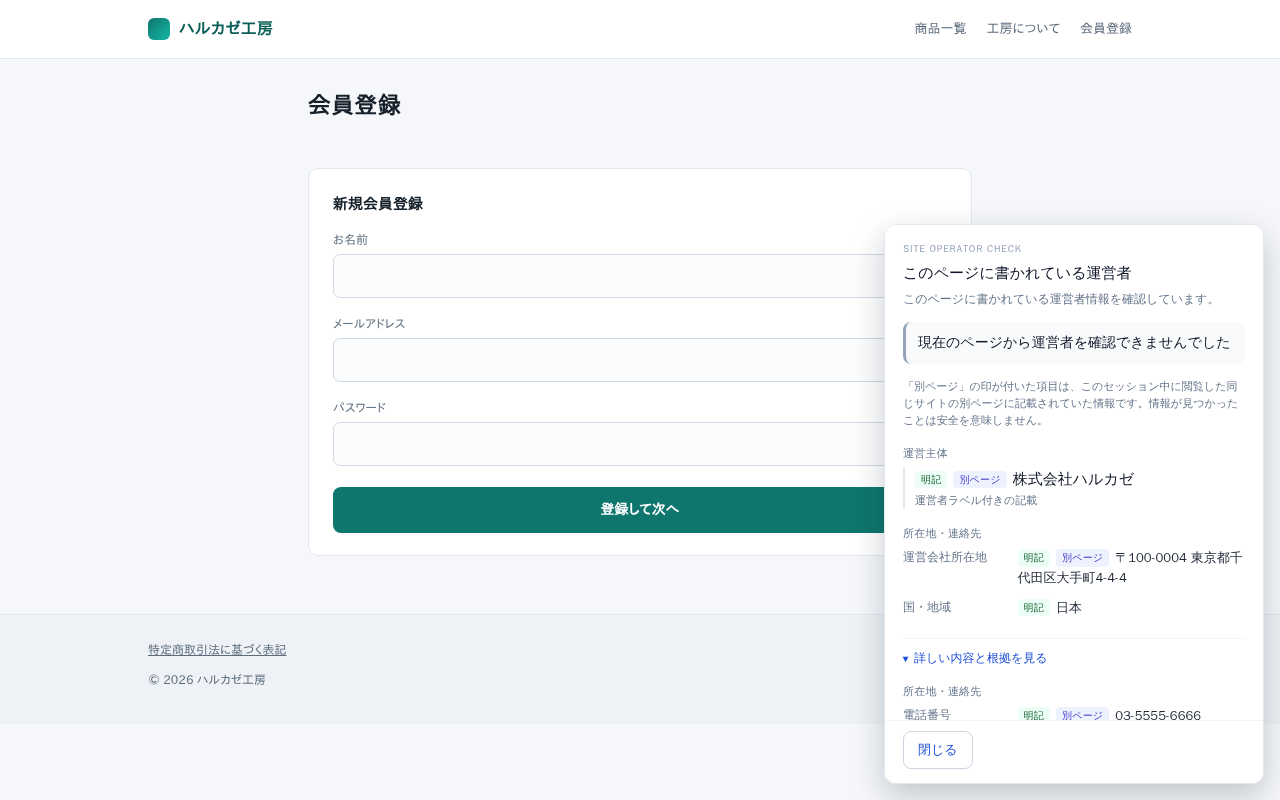
2Shown as separate lines
Nothing is merged. When several company names appear, all of them are listed rather than reconciled into one.
3How far it goes
A limited reading range
Footers, address elements, structured data, meta tags, link text and URLs, and the sources of embedded frames and scripts. The page body is read only when the page itself is a legal notice, terms, privacy policy or company page. Articles, blog posts, product copy and user posts are never read.
Evidence, quoted in place
Where it was found and what it said — up to three excerpts per value.
Fills in from the site’s own pages
If you visited this site’s legal notice, terms, privacy policy or company page earlier in this session, what was found there is added, marked “Other page”. It never follows a link on its own.
Related pages as links
Up to six candidates — company profile, statutory notice, terms, privacy policy — listed as links. It never opens them for you.
Shows the other origins the page loads
It lists where the embedded frames and scripts on the page are served from. Providers it can name from the bundled list (about 120) are labelled and collapsed by default, and the count is always shown. Where the site itself mentions that domain, the sentence is quoted too. Collapsing does not mean safe, and no judgement is made either way.
Interface language
Follows the browser language. Japanese and English are supported.
A resource loaded by the page is not necessarily a destination for your input. For example, a payment button may load from a third party even if the page does not state where the button will take you.
HOW IT WORKS
Only when you press it
The extension does not monitor page interactions or appear automatically. Run it from the toolbar whenever you need it. Opening and closing the panel are not recorded.
Run it from the icon
Press the toolbar icon, then “Check who runs this page” to open a panel in the corner. It does not interrupt your typing or move focus away from the input field.
Gathers what the page states
The panel groups operator information as Stated, Hint or Not confirmed. If several company names are found, each is listed separately. It also lists resources loaded from other origins.
Read it, close it
When you are done, you close it. Esc works too while focus is inside the panel. There is nothing to approve, and no record that you looked.
Open it again on the same page and it remembers nothing from last time. It reads the page as it is, every time.
GET STARTED
Install and use
Add it, and press the icon when you want to know. There is no settings screen.
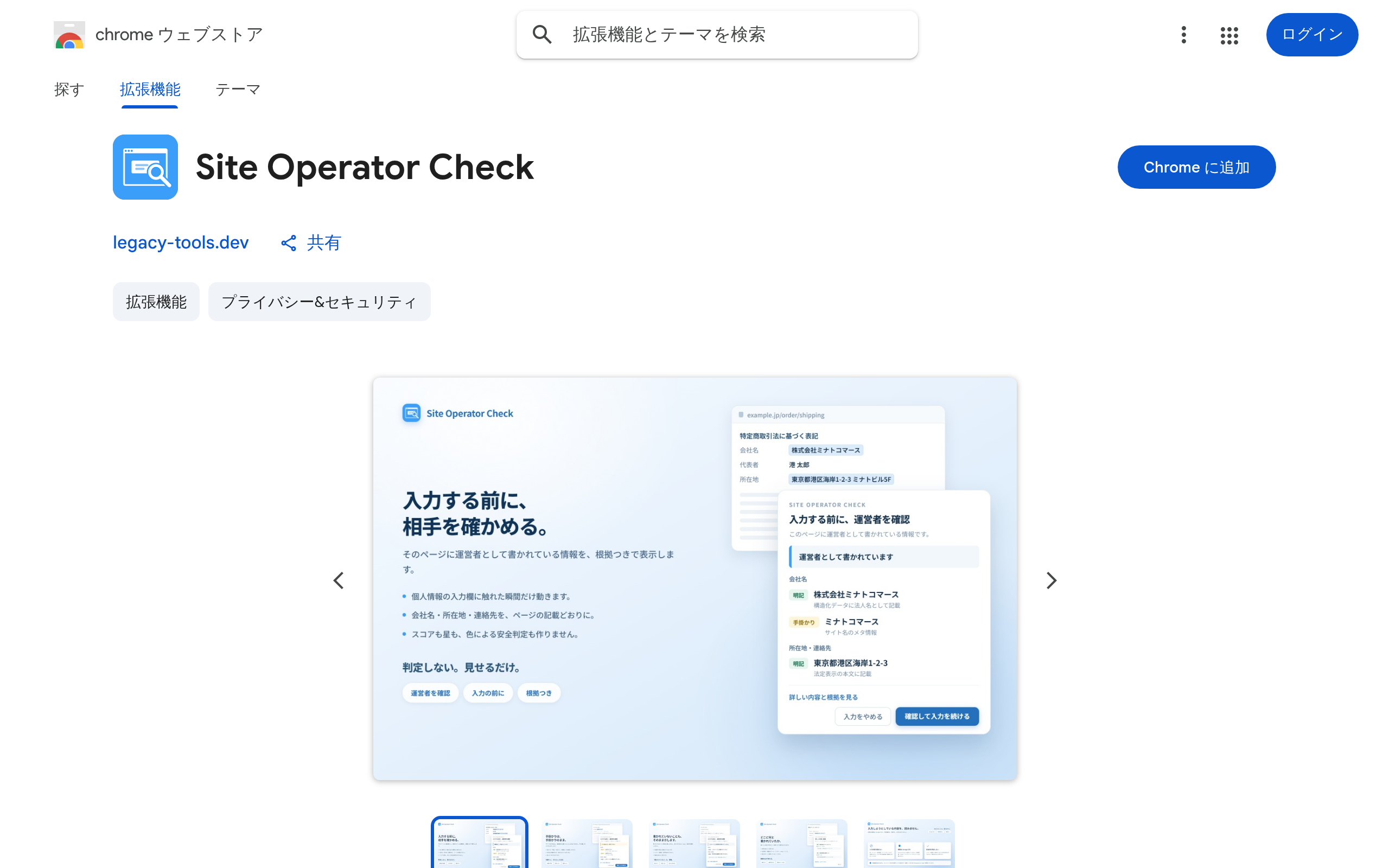
1Install
Just press “Add to Chrome” on the Chrome Web Store.
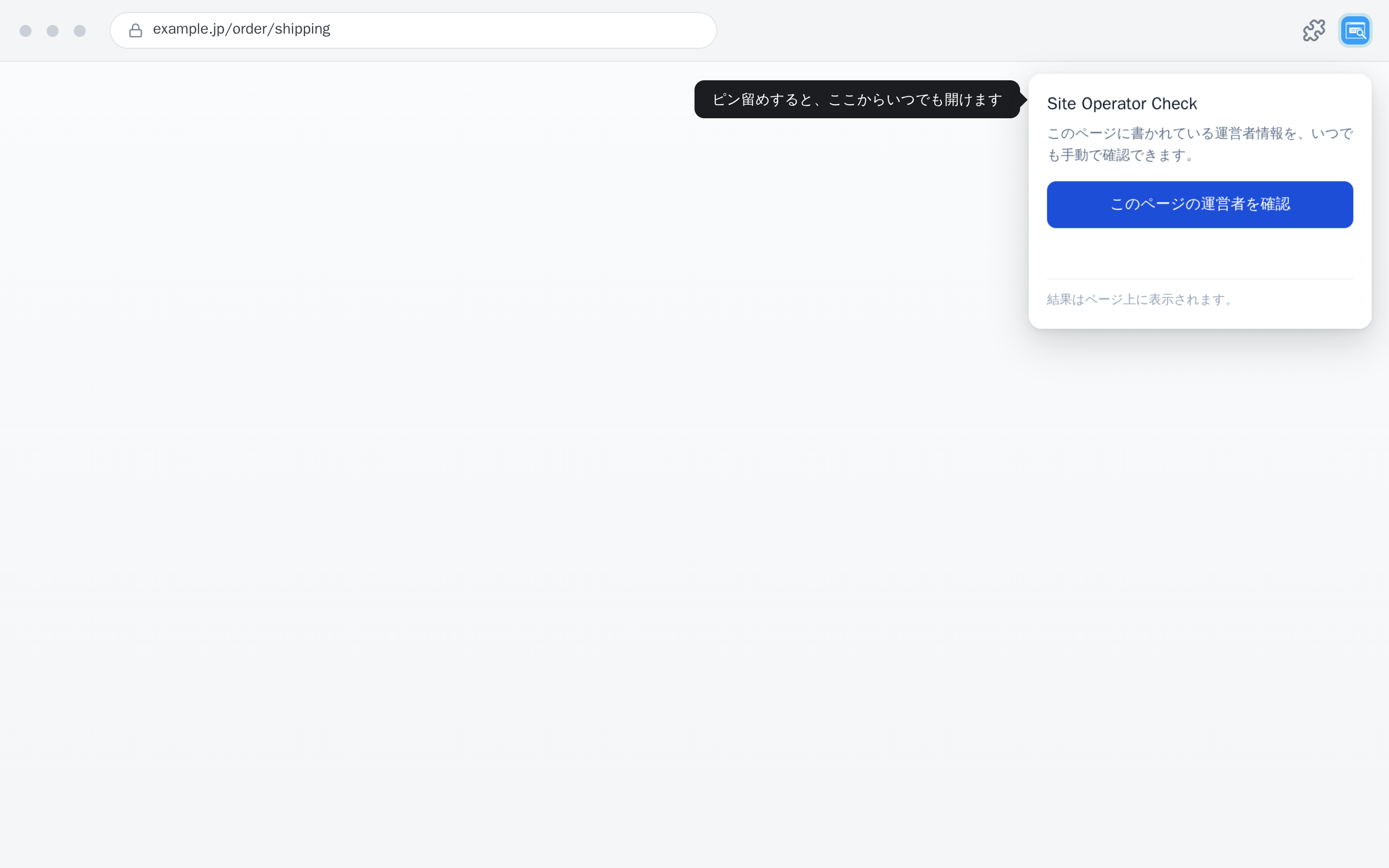
2Pin it to the toolbar
Open the extensions icon (the puzzle piece) at the top right of Chrome and turn on the pin for Site Operator Check to reach it in one click.
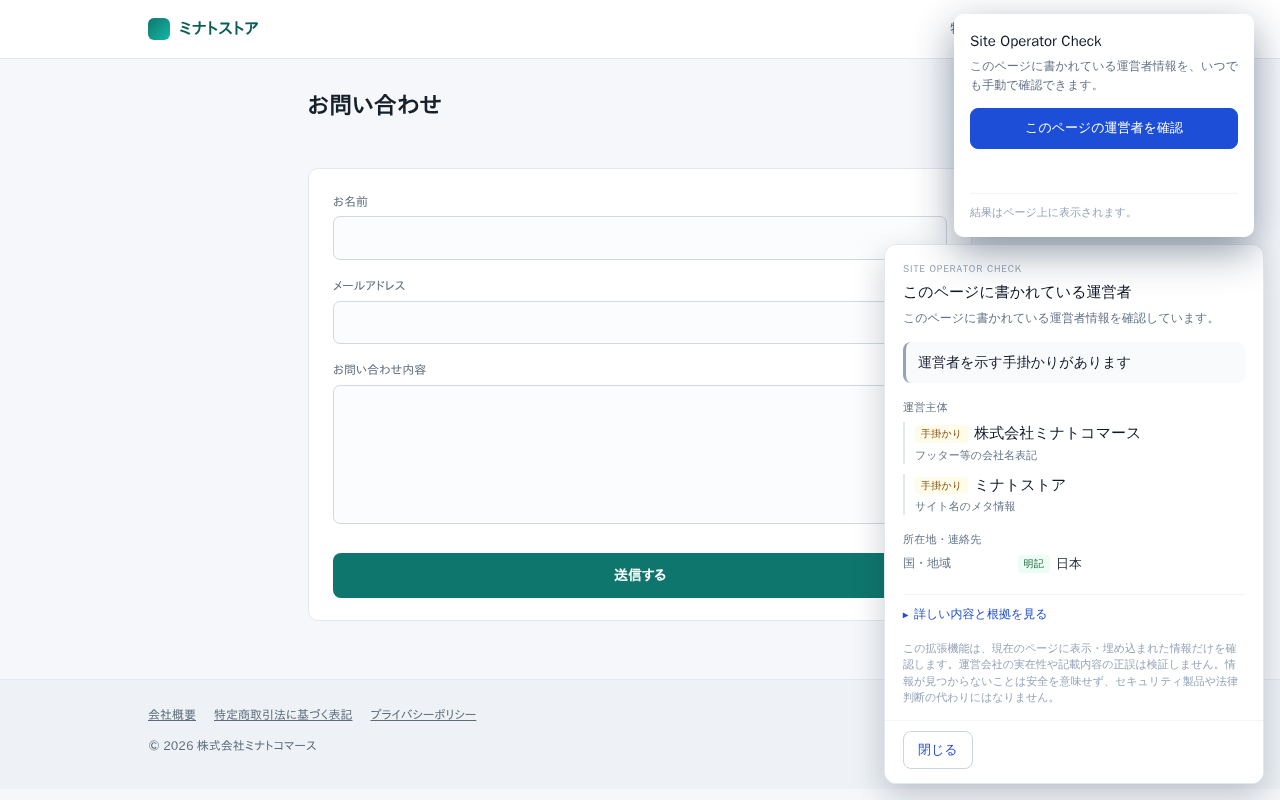
3Check from the icon
Press the icon, then “Check who runs this page”, and a panel appears in the corner. The cursor stays in the field, so you can carry on typing.
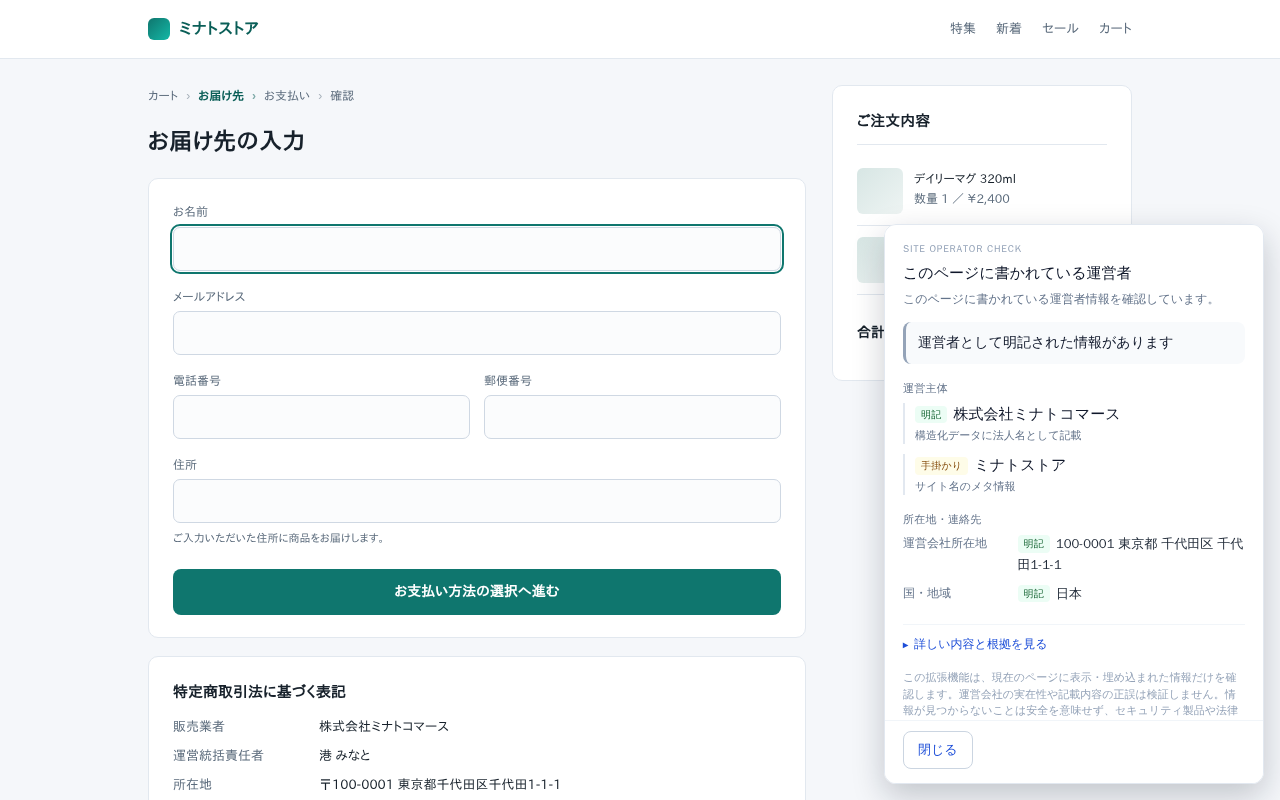
4Show details and evidence
Open “Show details and evidence” in the panel for the excerpts, what could not be confirmed, the other origins the page loads, and the related-page candidates.
It does not run on chrome:// pages, the Chrome Web Store, the PDF viewer, local files or view-source pages, because Chrome does not allow it.
PRIVACY
The privacy promise
Checking the site's operator does not require reading what you type.
It does not read what you are about to type.
Automated build checks verify that the code does not access input values, files, selected text or the clipboard.
What is kept
Only operator information from the site's own legal notice, terms, privacy policy or company page is stored: up to 30 origins, with a limit of 64KB each. It is read and stored automatically when you open one of those pages, without opening the panel. It is cleared when the browser restarts. Your actions are not recorded, and there is no approval status to save.
Network
None. No networking API exists in the shipped code, and the extension pages declare connect-src 'none'. There are no analytics, no ads and no third-party SDKs.
Permissions
Only “storage”. No host permissions are declared. Browsing history, cookies, bookmarks and downloads are never touched.
Check it yourself
The extension’s own traffic (the service worker) is visible in the dedicated DevTools opened from chrome://extensions; the content script’s traffic is visible in the page’s DevTools (F12).
Frequently asked questions
LIMITS
What it can and cannot do
The extension does not stop you entering or submitting information. Here is what it can show and what it cannot verify.
| Aspect | It can | It cannot |
|---|---|---|
| The operator | Show the operator information stated on the page, with evidence | Prove that the company exists |
| The statements | Show where each statement was found and what it said | Verify that the statements are correct |
| Ownership | List every company name found, without merging them | Fully identify parent companies, subsidiaries or ownership |
| Submission target | Show the destination declared in the markup (a form’s action, a submit button’s formaction) | Know a destination that JavaScript decides at submit time. The other origins it lists are what the page loads, which is not the same as where your input goes |
| Stepping in | Check, there and then, when you press the icon | Watch your typing, appear on its own, warn you, or stop a submission — it subscribes to nothing on the page |
| Its place | Give you more to go on | Replace a security product, legal advice, or your own decision to transact |
Missing information does not mean a site is safe. Complete operator details do not establish that a transaction is safe either. Review the information before deciding what to do.
See who runs this site before you type.
Free, entirely local, no network. Add it to Chrome and start using it today.
View on Chrome Web StoreLEGAL
Before you use it
Read the privacy policy and terms of use below.