
Safe Privacy Mask
Hide it before you send.
A Chrome extension that masks email addresses, phone numbers, API keys and more in your browser before you paste text into ChatGPT, Claude, Gemini and other AI chats. Your text is not sent to an external server for masking.
Opens the Chrome Web Store
Free, no account needed. Text is masked on your device.
See permissions and how data is handled →BEFORE / AFTER
Mask your text right in the field
Before you send to an AI or a web form, strings that match your rules are replaced right inside the input field.
Before
The contact is John Doe.
Email: john@example.com
Phone: +1-202-555-0134
API_KEY=demo-example-key
After
The contact is [name].
Email: [email]
Phone: [phone]
API_KEY=[api key]
Review the replaced text, then send it yourself.
USE CASES
When it helps
Replace information you do not want to share before sending text to an AI chat or web form.
Asking AI to help with an email
Mask the email addresses and phone numbers in your message before pasting it into an AI.
Sharing error logs or code
Replace API keys, tokens, and IP addresses found in logs, code, and config files.
Summarizing or translating customer messages
Replace customer names, project names, and internal system names with any text via custom rules.
Typing into a web form
Even on sites that aren’t supported out of the box, register the target field and use it there.
Asking for a summary of meeting notes
Meeting notes often include participants' names and companies. Add those names as custom rules to replace them in the input field before asking for a summary.
Features
Key features
Choose what to mask, then review the updated text before sending.
Runs on your device
Detection and masking finish inside your browser, with no external server involved.
Masks inside the field
No copying to another screen — text is replaced right in the field you’re typing in.
Detects email, phone, API keys & more
Common formats of personal and credential data are found and replaced by presets.
Register customer & project names
Add rules for your organisation's numbers and terms. You can also use regular expressions to match text patterns.
Enable or disable per site
Run it only on the sites you want, and mark others as trusted to skip.
Choose the masking timing
Pick the moment to replace: while typing, on paste, or right before sending.
No account needed
No email sign-up or login — add it and start right away.
No ads, analytics, or telemetry
It does not record your activity or send any measurement data externally.
DETECTION & RULES
What it can detect and mask
Built-in rules detect common formats. Add your own rules for other terms or patterns you want to mask.
Regional coverage & how detection works
Number formats that differ by country, matched to your region.
Card numbers are checked against their check digits (Luhn), so unrelated strings of digits are far less likely to be replaced.
Custom replacement rules
Register any “before → after” pair you like. Every setting saves automatically.
Word replacement
Replace a specific word with another, e.g. Confidential → [redacted].
Regular-expression rules
Flexible patterns are supported too, e.g. \d{3}-\d{4}-\d{4} → [phone].
Advanced options
Toggle case sensitivity, whole-word matching, and full/half-width equivalence per rule.
No cap on the count
There is no limit on the number of rules you can add. Large numbers of rules or complex regular expressions may slow down processing.
HOW IT WORKS
Choose where and when
Major AI chat sites are supported as soon as you install the extension. On other sites, register the input fields where you want it to run.
Pick the target
Major AI chats work with no setup. On any other site, register an input field with a click.
Choose the timing
Choose when to replace text: while typing, when you move out of the field, when pasting, or just before sending. The final check runs synchronously, so replacement finishes before sending proceeds.
Adjust per site
Set each domain to “all fields” or “disabled.” Add sites you never want it to run on to your trusted list.
PRIVACY
Your text is not sent to an external server for masking
Detection and replacement both finish on your device.
This extension never sends your input, detection results, or browsing history externally.
Inspection and replacement both finish on your device; there is no external server or external API used for masking.
Runs on your device
Detection and masking run in your browser, with no external server involved.
No ads, analytics, or telemetry
Detection and masking use no external API, LLM API, analytics, ads, or telemetry.
Browsing history
It does not collect or record the URLs of pages you open or your browsing history.
Where data lives
Settings, custom rules, and site scope are stored only on your device in chrome.storage.local.
Permissions needed
The storage permission saves your settings. The scripting permission applies the extension on sites you allow. Access to page content is used to process the input fields you select.
GET STARTED
Install & use
Three steps to get going.
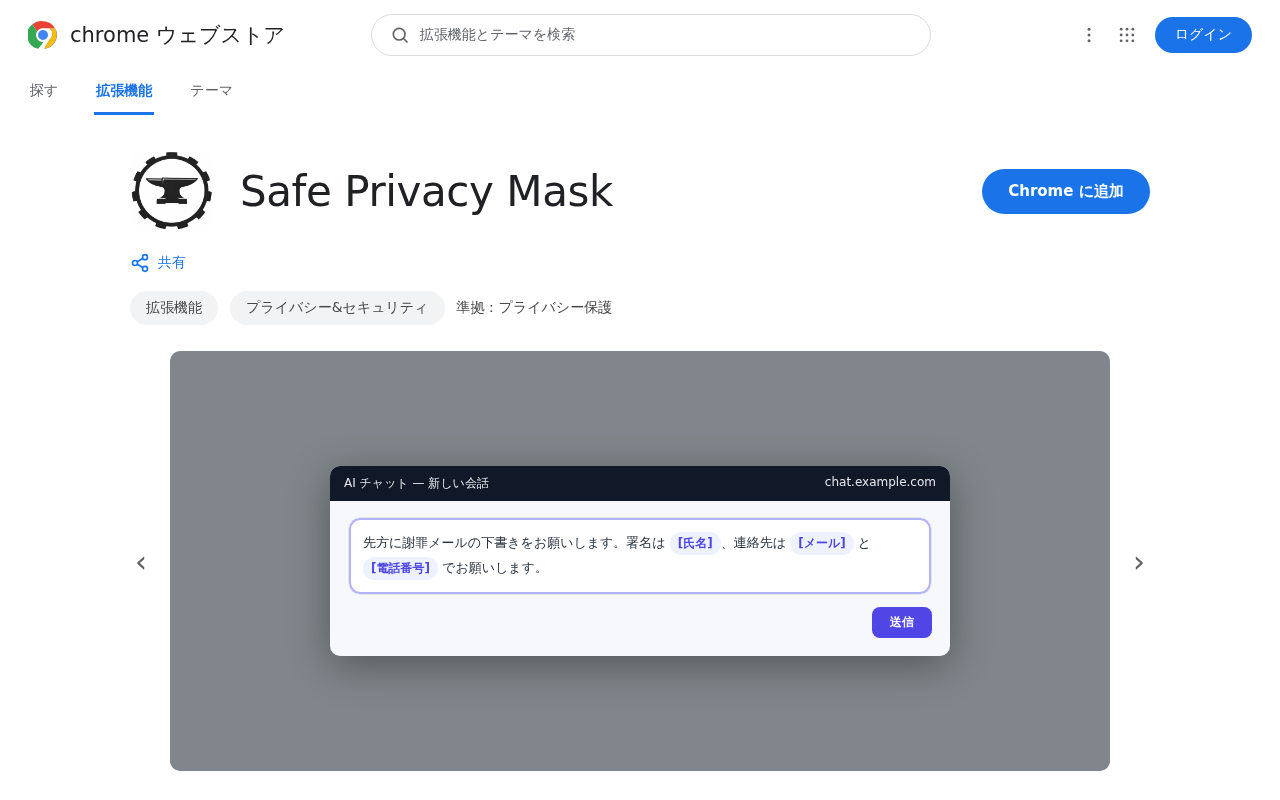
1Add to Chrome
Just press “Add to Chrome” on the Chrome Web Store to get started.
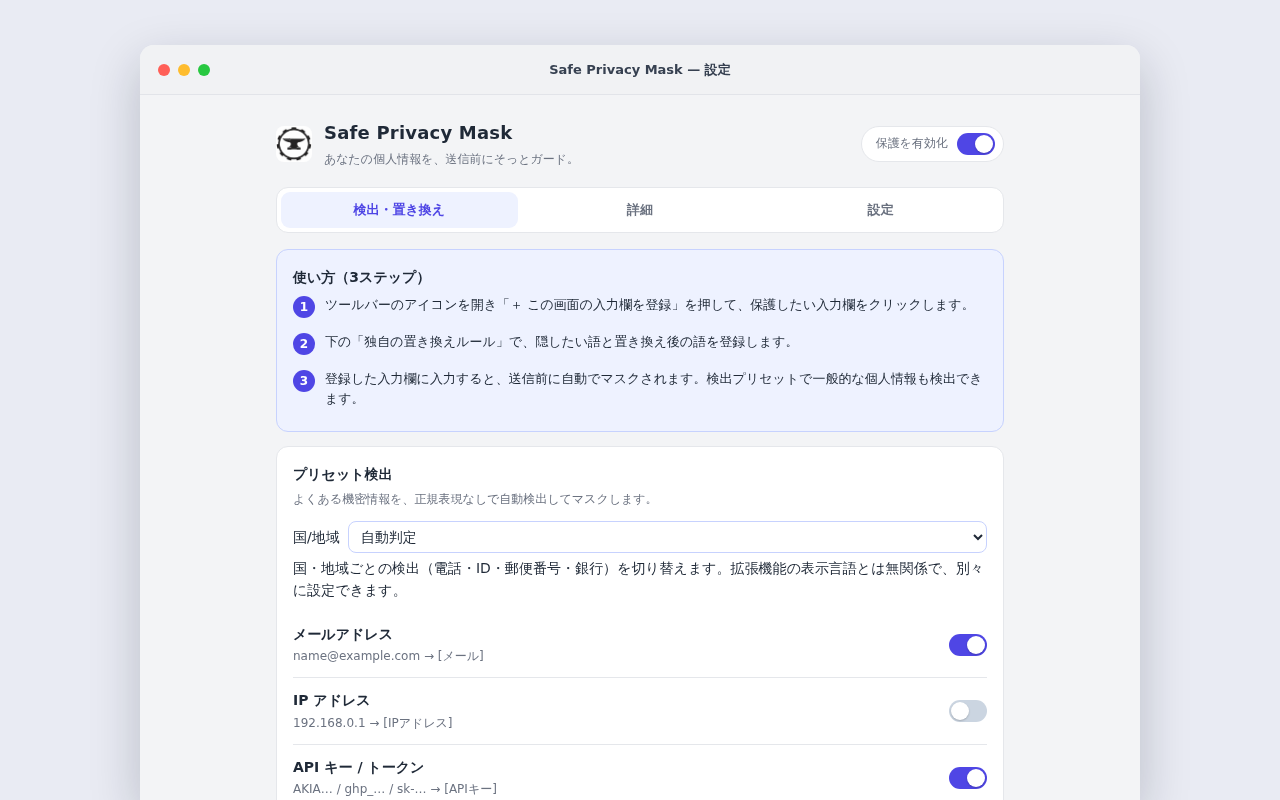
2Set what to hide and where
In the settings, adjust replacement rules, target sites, and timing.
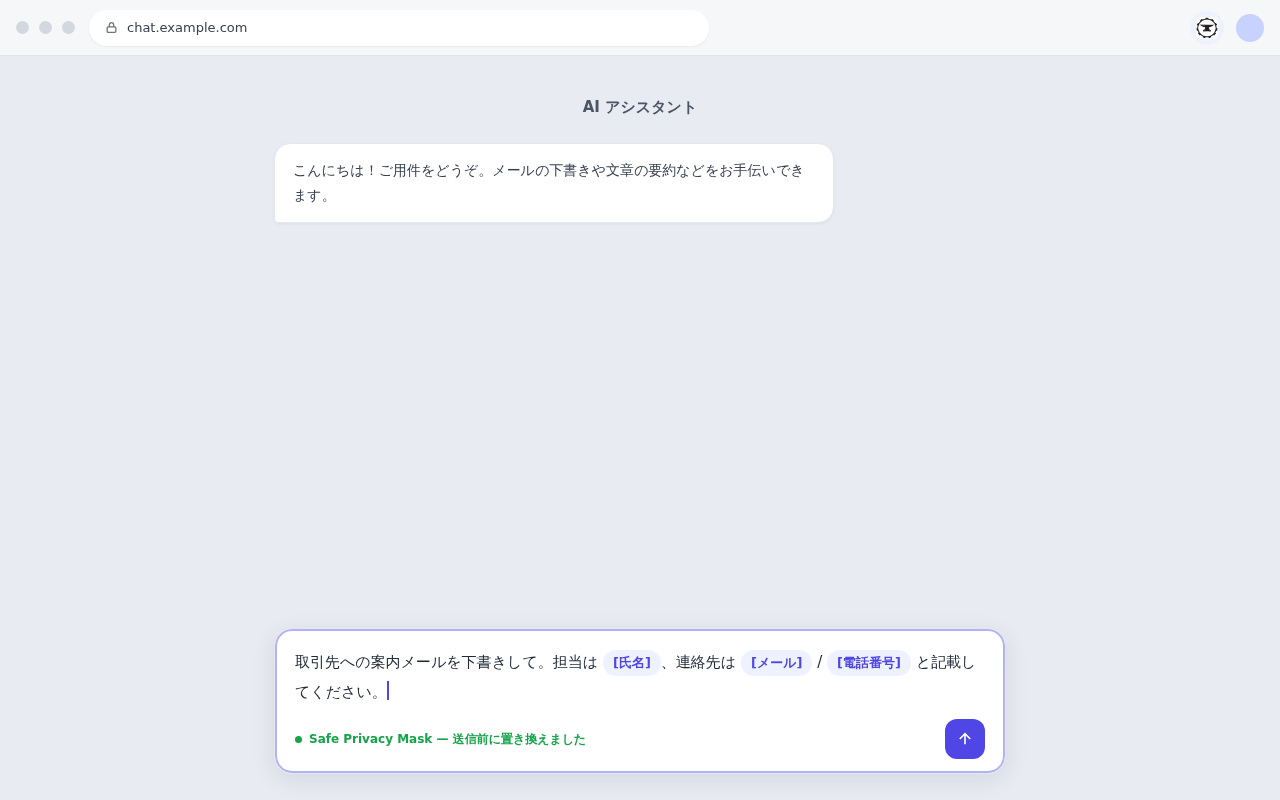
3Type into an AI or web form
In target fields, matched strings are replaced before you send.
For details like pinning to the toolbar, see Support and the FAQ. Open it any time from the extensions icon (the puzzle piece).
TECHNICAL
How it works under the hood
Even when custom regex is heavy, processing runs on a separate thread with timeouts and auto-disabling of the offending rule to keep the page responsive.
Runs on a separate thread (Web Worker)
Regex runs in a Web Worker (separate thread), so the page and your typing never freeze during heavy work.
Regex timeout
If one pass exceeds the limit (default 50ms), the worker is stopped and that pass is skipped (your input is left intact).
Isolating & disabling problem rules
On timeout, the offending regex rule is identified and, per your settings, automatically disabled with a notice.
Synchronous at send time
Only the pre-send pass runs synchronously so it reliably applies (guarded by a max scan length). ReDoS is contained in several layers.
Checksum validation (Luhn)
Card numbers and similar are checked against their check digits (Luhn) to avoid replacing unrelated strings of digits.
Where data lives
Settings, custom rules, and site scope are stored only on your device in chrome.storage.local.
Permissions needed
The storage permission saves your settings. The scripting permission applies the extension on sites you allow. Access to page content is used to process the input fields you select.
How to verify traffic
Traffic from the extension itself (its service worker) shows in the dedicated DevTools opened from chrome://extensions; traffic from the content script running in the page shows in the page’s own DevTools (F12).
How detection rules work
Presets detect by format (regex); custom rules replace matches of the word or regex you specify.
Frequently asked questions
COMPARE
Gate warns, Mask hides
Both tools work before you send. Choose based on whether you want a warning or a replacement.
| Aspect | Safe Privacy Gate | Safe Privacy Mask |
|---|---|---|
| Before you send | Detects and warns (notice) | Detects and replaces (hide) |
| Rewrites your text | No | Yes (by default while typing, on paste and just before send) |
| Automatic masking | — (warns only) | Yes |
| Final decision | You | You |
| Where it works | All sites (trusted ones excluded) | Major AI chats + fields you add |
| Custom rules | Words & regex | Words & regex (no cap) |
| External sending for detection/masking | None | None |
Choose Mask to hide before sending; choose Gate to check without changing your text. You can also use both together.
Mask personal information before sharing text with AI.
Replace email addresses, phone numbers, API keys and customer names directly in the input field.
Masking runs on device · No account
Get started with your family
Find tools for the situations your family encounters, with guidance on setting them up together.
See where families start →Distribute rules across your organization
Need administrator-distributed rules or locked settings? Compare Enterprise with the free edition.
Compare the Enterprise edition →LEGAL
Before you start
Read the privacy policy and terms of use below.