
Where Can a Link Take You If You Do Not Recognise a Piracy Site?
An unexpected page opens after you click Play or Read more. Learn how ads can lead to fake sites and what to check if you entered details, installed software or allowed notifications.
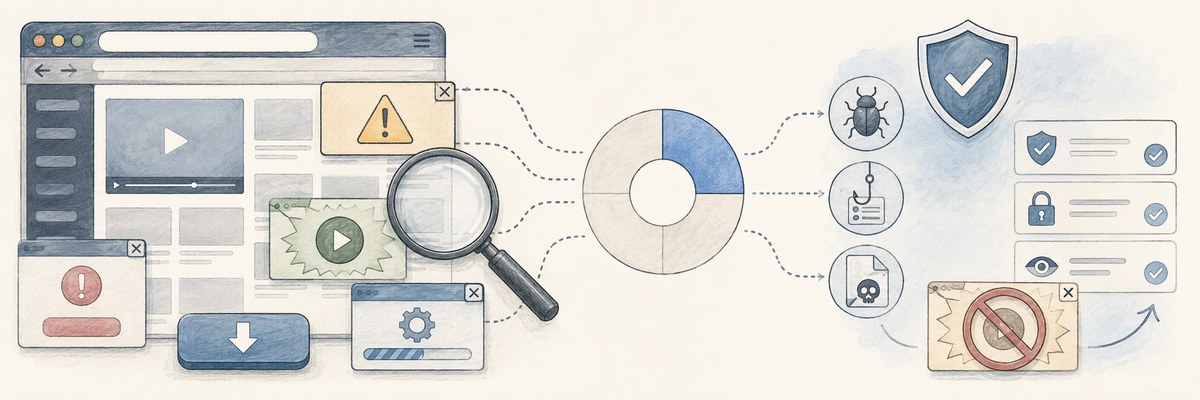
You find a page through a search, click “Play” or “Read more,” and a different website suddenly opens.
You may not have realised that the original page was a piracy site. Its appearance alone may not make that obvious.
What might be waiting on the other side of the link?
You clicked “Play,” but an ad opened
Many piracy sites earn money from advertising. Japan’s Agency for Cultural Affairs describes advertising as a main source of income for many sites hosting pirated content.
A control labelled “Play,” “DOWNLOAD” or “Next” may look like a way to reach the content while actually opening an advertising page.
Sometimes that destination is an ordinary ad. But some ads lead to fraud or malware—malicious software.
EUIPO monitored 5,671 infringing or high-risk websites from 1 January to 20 November 2025. Ads classified as fraud or malware accounted for approximately 25% of estimated ad impressions, up from 14% in 2024.
The study covered 18 EU countries, with the UK and US as comparisons. It does not mean that 25% of Japanese piracy sites are dangerous, or that one in four people who click a link suffer harm.
The destination may imitate a genuine service
Phishing reports have also increased in Japan.
The Council of Anti-Phishing Japan received 2,454,297 reports in 2025, a record and roughly 1.43 times the 2024 total. These are reports, not a count of victims, and they are not limited to incidents originating on piracy sites.
Japan’s National Police Agency has identified search advertising among the routes used to send people to convincing fake sites. Entering a user ID, password or card details there can lead to account takeover or unauthorised transactions.
If an unfamiliar page opens, check what you did next
If the destination is not what you expected, stop interacting with it and close it.
If you only opened the page and did not enter information, grant permission or install anything, stop there first. If a file downloaded automatically, do not open it.
You may choose to delete that site’s cookies and site data. Cookies can retain sign-in state and preferences, so deleting them may sign you out or remove settings.
However, clearing the cache does not make the situation safe by itself. The cache mainly stores things such as images to load pages faster.
If you did something more, your next steps depend on what happened:
- Entered a user ID or password: Open the genuine service independently and change the password promptly. Change it on other services where you reused it too.
- Entered card details: Contact your card issuer and ask what action is needed.
- Installed an app or program: If it may be suspicious, disconnect the device from the network and run a scan with your existing security software where available. A clean scan does not rule out a problem; contact the device maker’s or security provider’s official support.
- Allowed notifications: Revoke that site’s notification permission in your browser settings. Chrome lets you block notifications for individual sites.
Clicking a link does not by itself establish that harm occurred. If warnings or unusual behaviour continue, contact official support rather than a number shown on the suspicious page.
Stop when the destination is unexpected, then check what you did after it opened.
Use that information to decide which response is needed.
Sources
- Agency for Cultural Affairs, Japan: Countermeasures against online copyright infringement and piracy (PDF, Japanese), on advertising income.
- EUIPO: Online Advertising on IPR-Infringing Websites and Apps 2025 (June 2026; PDF), reporting approximately 25% of estimated ad impressions, or 24.62% in detail.
- Council of Anti-Phishing Japan: Phishing Report 2026 (Japanese), section 1.3.
- National Police Agency, Japan: Phishing countermeasures (Japanese).
- Google Help: Manage cookies, clear cache and cookies, and manage notifications.
- IPA: Beware of support scams using fake virus warnings (Japanese).
All links lead to external sites. Sources were checked on 13 September 2026; titles of Japanese materials are descriptive translations.