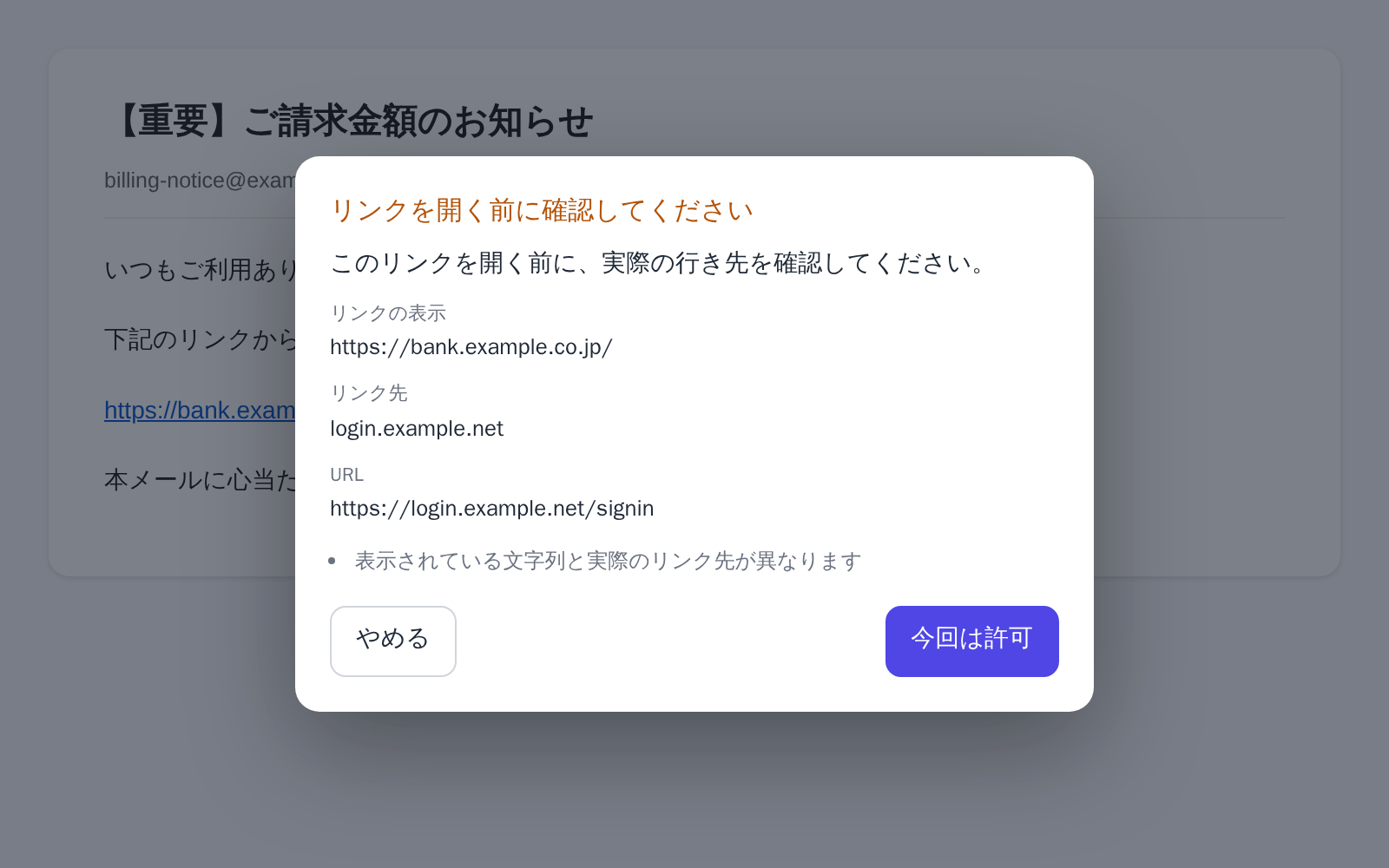
Before a link in an email opens
Shows the text of the link next to where it actually goes. It never calls a link dangerous.
Safe Mail Link Check See what it does →
FOR FAMILIES
Free Chrome extensions to help your family check before opening an email link, sharing details with an AI chat or entering information on an unfamiliar website.
Set them up together, then use them in the browser your family already knows.
WHAT WORRIES YOU
It is easy to miss a check when you are in a hurry or using a familiar screen.
Opening a link in an invoice email before checking whether it is real.
A name and a phone number get pasted straight into an AI chat.
Entering an address and card number on an unfamiliar website.
Sending a photo or document without noticing the extra information stored in the file.
An email gets sent late at night, on impulse.
OUR POSITION
Legacy Tools is not a way to watch what a parent does.
It does not declare anything dangerous on its own, and it forbids nothing.
See information you might otherwise miss before sending, opening a link or pasting text.
The decision stays with the person making it.
START HERE
Start with the situation that matters to your family: email links, AI chats or unfamiliar websites. There is no need to install all three.
Shows the text of the link next to where it actually goes. It never calls a link dangerous.
Safe Mail Link Check See what it does →![An AI chat composer where a contact name, an email address and a phone number have been replaced with [Name], [Email] and [Phone]. The Safe Privacy Mask popup floats at the top right, reading “Protecting all fields”.](/assets/screenshots/lp/mask.webp)
Replaces email addresses, phone numbers and similar information directly in the input field.
Safe Privacy Mask See what it does →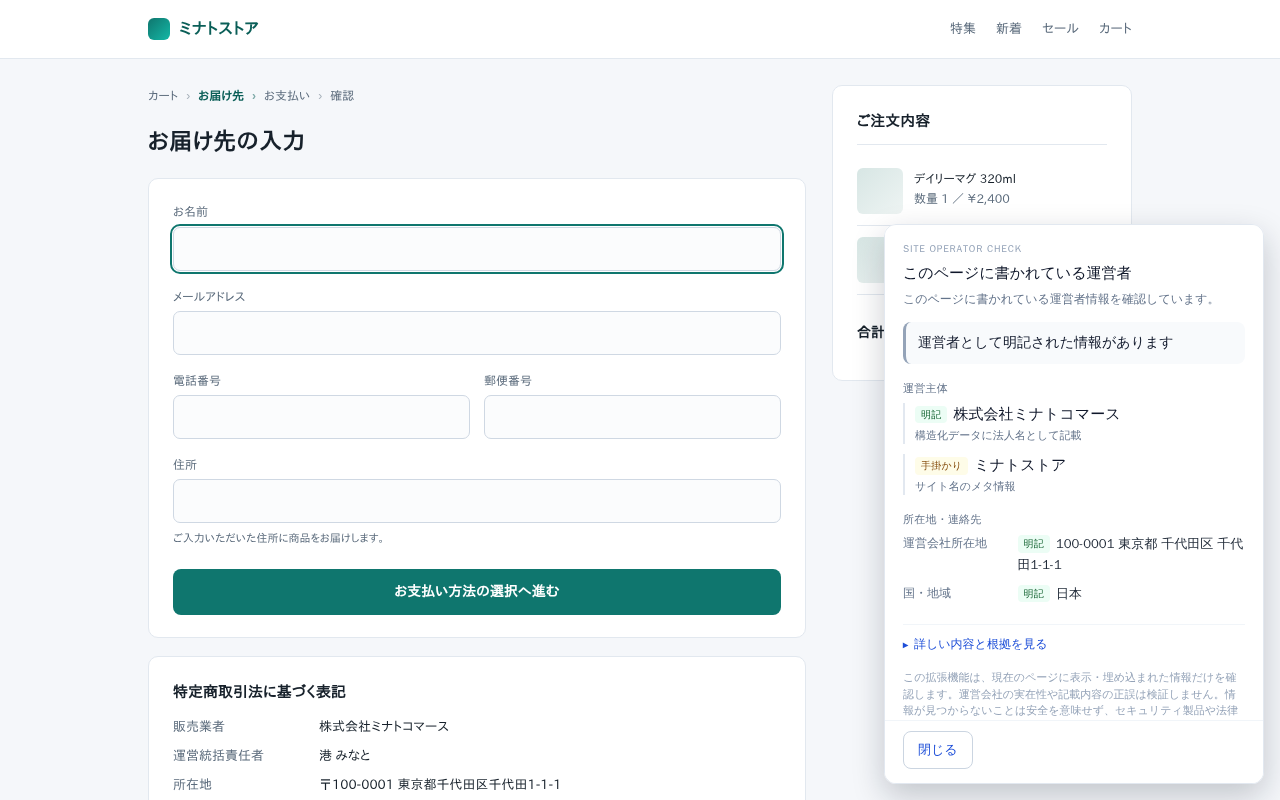
Shows the operator details stated on the page, with excerpts showing where each detail was found.
Site Operator Check See what it does →ALSO
The remaining three tools, not listed here, are on the full tool list.
SETUP
Go through the settings and try the tool together before leaving your family member to use it.
Add it to Chrome
Press "Add to Chrome" on the Chrome Web Store. No account, no payment.
Set only what that tool needs
Set the options the tool needs, such as words to mask, night hours or email sites to check.
After that, the same browser as always
You do not have to sit beside them each time. The check appears in the moment it is needed.
Some tools, Site Operator Check among them, only show their panel when the toolbar icon is pressed. It is worth going through that one together once.
Installing an extension does not guarantee ongoing safety. Review the settings when the services you use or your needs change.
BOUNDARIES
What they cover is the moment just before a decision: noticing, once.
Detection and display both happen inside each extension. Nothing you type and no file is sent anywhere in order to be checked.
See permissions and data handling per product →
WHICH ONE
Choose by what worries you, not by the product name.
Pick the one thing you find yourself worrying about. You can add another later, or remove it at any time.
Read about who makes these tools and the thinking behind them.
About Legacy Tools →If you want to introduce the tools to a class, support group or community, see our page for organisations.
For organizations →For checks you can make without installing a tool, see the home guides.
Home Guides →