
Safe Attachment Check
See the information left in a file when you attach it.
Check photo GPS data, PDF authors, Word tracked changes and hidden Excel sheets in your browser when you attach a file. The extension does not send your files to an external server.
Opens the Chrome Web Store
Free, no account needed. The site may start uploading before the card appears.
See permissions and how data is handled →Supported: JPEG · PNG · WebP / PDF / Word / Excel
USE CASES
A file can contain more than you see on screen.
Files can contain information that is not visible when you read them. See that information listed when you attach a file.
Sending a proposal or a quote as a PDF
A document copied from an older file may still list the original author or company. Check its title, author, company and creating application when you attach it.
Handing over a Word file that still holds tracked changes
Switching the display off does not remove the revisions. Insertions, deletions, comments, the author and the last person to edit all appear, so you can tell whether your internal back-and-forth is still readable.
Checking a spreadsheet for hidden sheets, rows and columns
Hidden information travels with the file. See hidden and very-hidden sheet names, the names of sheets with hidden rows or columns, and defined names.
Uploading a phone photo to a form or a social post
A photo may still contain the coordinates of where it was taken. Review GPS data, capture time and camera details when you attach it.
Forwarding a file someone else made
A file you received may contain information you have not checked. Use the author details and other metadata shown when you attach it to help you review the file.
Walkthroughs by task
Find step-by-step instructions for specific tasks on the use-case pages.
Features
See what remains in the file, without changing it.
Safe Attachment Check displays information left in an attached file. It does not delete, edit or sanitize files, and it does not stop the site from uploading them.
Checked locally
Reading the file and parsing its metadata happen entirely inside your browser.
No sending by the extension
The extension does not send files or results to a server. Uploads by the site you are using are separate.
Never modifies the file
It deletes, strips, and changes nothing. Your file stays untouched, byte for byte.
Never blocks your upload
It never stops or interrupts your send. It just shows a small card.
WHAT IT DETECTS
The information you cannot see
These are the fields shown for each supported format. Not all information can be detected, and no findings does not mean a file is safe.
Images (JPEG, PNG, WebP)
Photos can carry where they were taken and the gear that took them.
Authoring details and how many annotations are embedded.
Word (.docx)
Tracked changes and comments that are easy to forget before sharing.
Excel (.xlsx)
Sheets, rows, and columns you cannot see may still hold data.
GPS coordinates are shown as plain numbers. There is no reverse geocoding — that would require a network request, and this extension makes none.
HOW IT WORKS
See file information when you attach it
Just attach a file the way you always do. Only when hidden information is found does a small card appear in the corner of the page.
Attach a file
Standard file selection and drag and drop on the main page are supported. Some methods, such as forms embedded from another page, are not supported.
By default, no card appears when nothing is found. No card does not mean the file is safe.
A card lists what is inside
The metadata it found is shown right there, grouped by type — with the actual values in view.
Read it, and you decide
Some sites upload as soon as you attach a file. The card may appear after the file has reached the site. If you do not want information sent, check it in the original app before attaching.
GET STARTED
How to use it
See examples for each file type and the settings you can change.
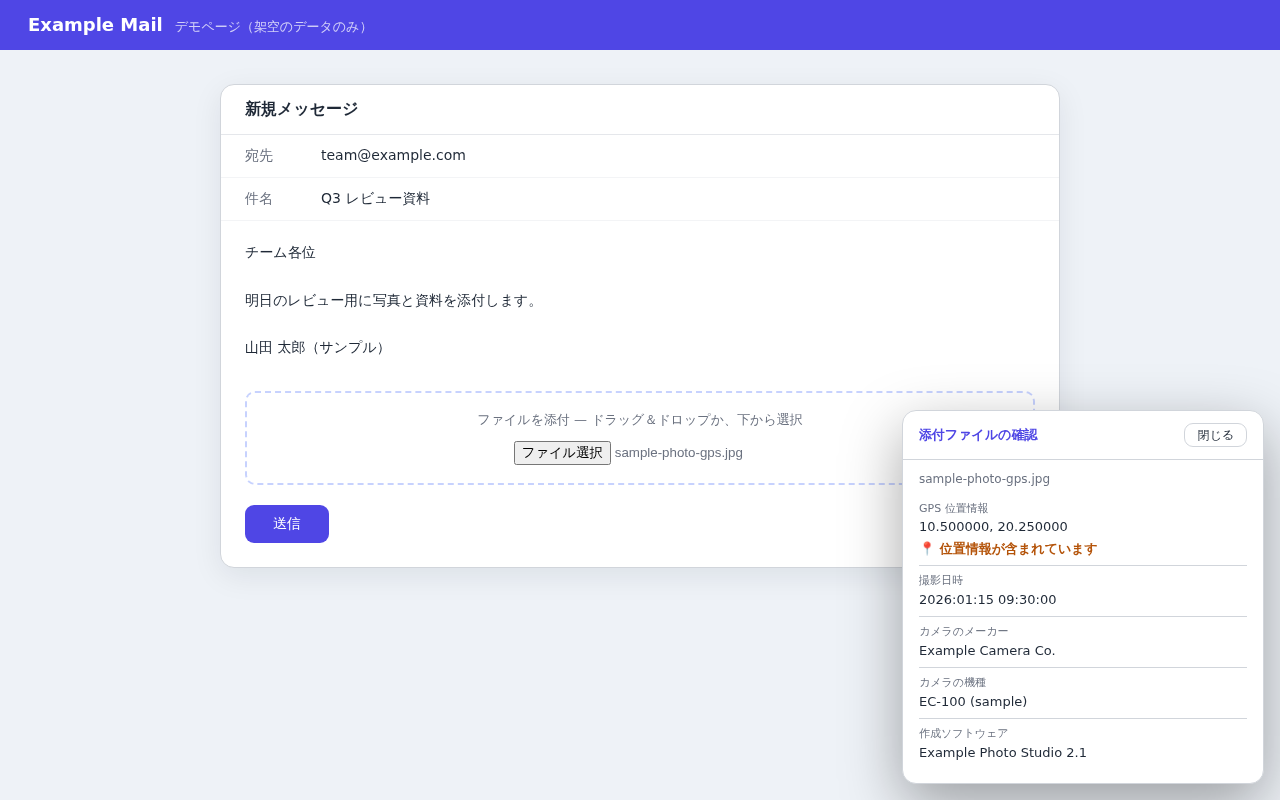
1Attach a photo
Attach a JPEG and the card lists its GPS position, capture time, and camera details.
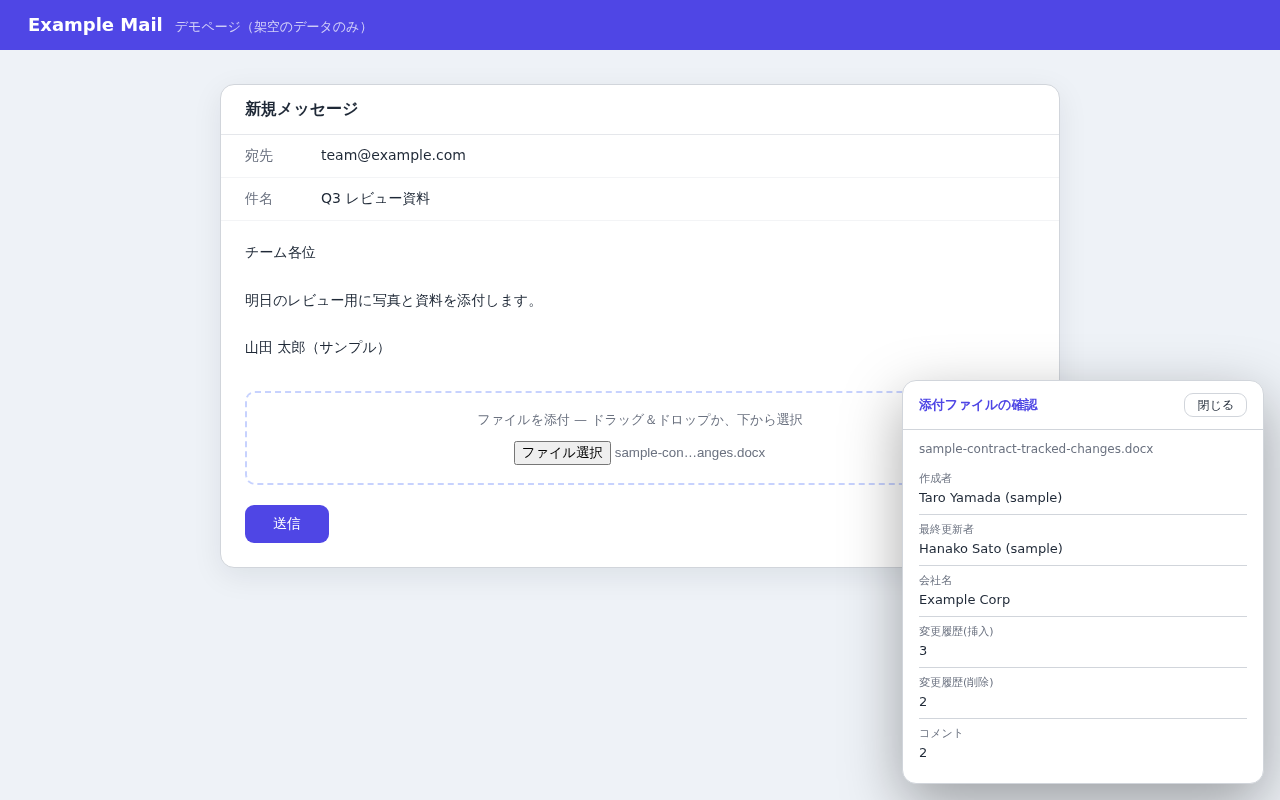
2Check a Word document
Attach a .docx and review tracked changes, comments, author, last-modified-by, and company.
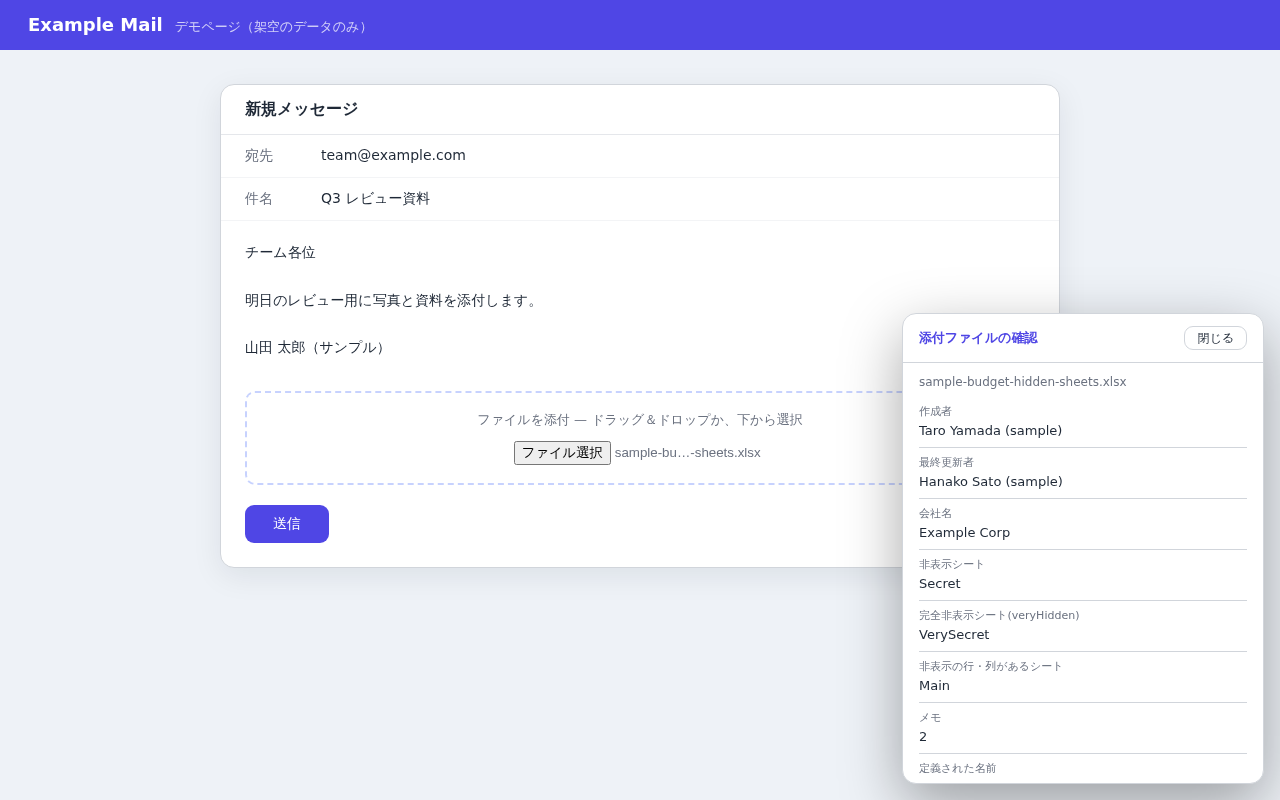
3Check an Excel workbook
Attach an .xlsx and see hidden sheets, hidden rows and columns, comments, and defined names.
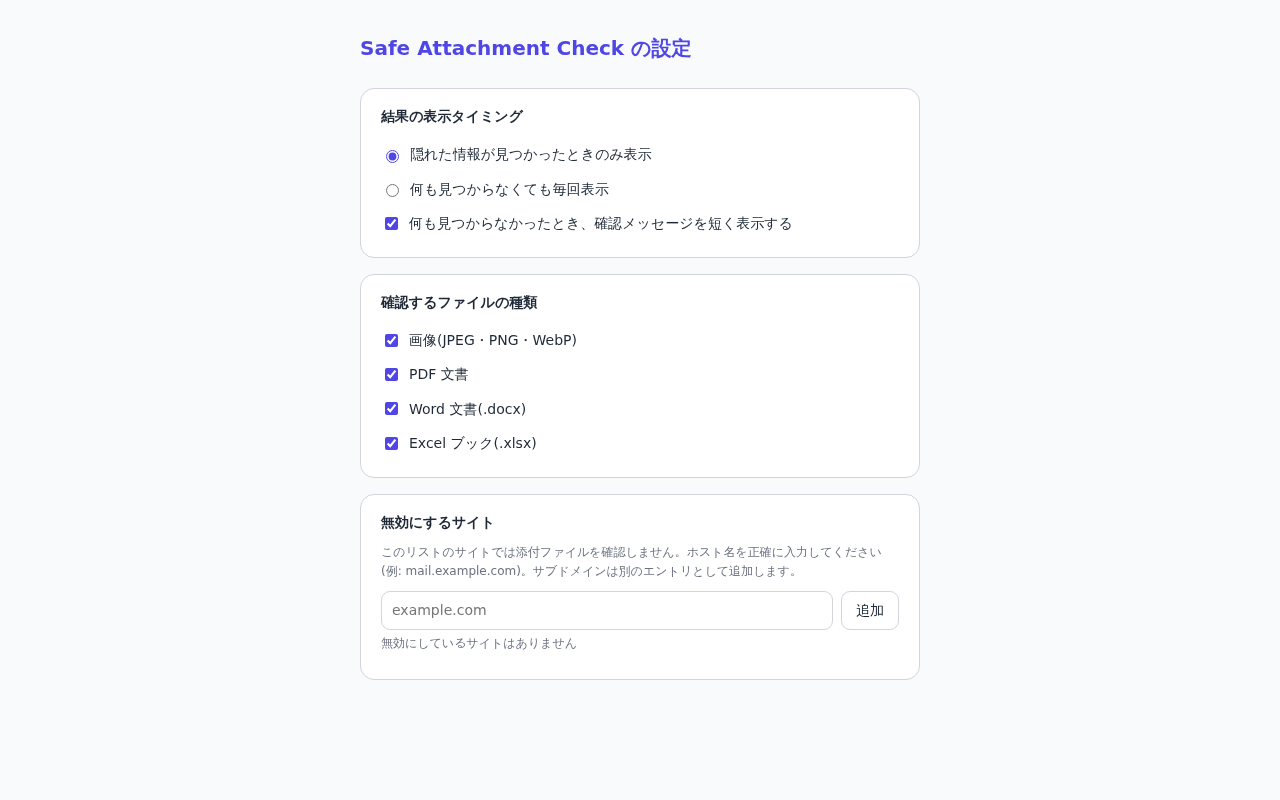
4Make it yours
Turn checks on or off for each file type, disable them on trusted sites, or choose to show a notice even when nothing is found.
The card appears in the corner of the page; read it and close it. Your upload is unaffected.
PRIVACY
Our privacy promise
The extension checks files on your device and does not store the files or results.
The extension does not send data to an external server.
Uploads by the site you are using are separate. The site may be able to read the results displayed on its page.
Where data lives
Only your settings are stored on your device (chrome.storage.local). File contents are never saved.
External traffic
The extension has no server sending, analytics or telemetry. It does not stop the site you are using from making network requests.
Location handling
GPS coordinates are shown as plain numbers. There is no reverse geocoding to a street address.
Permissions needed
Settings are saved on your device. Website access is used to detect attachments and display the results on the page.
Frequently asked questions
MORE TOOLS
Other tools
Explore other tools you can use alongside this one.
Take a closer look at the information in your attachments.
Free and fully local. Available now on the Chrome Web Store.
No external sending · Never modifies files · Fully local
LEGAL
Before you start
Read the privacy policy and terms of use below.