
Safe Mail Link Check
See where it goes, before it opens.
A Chrome extension that shows a confirmation dialog with the real destination before a link in Gmail, Outlook on the web, or Yahoo! Mail (Japan) opens.
Free, no account needed. Link URLs are checked on your device.
See permissions and how data is handled →USE CASES
Check a link's destination before opening it
A link's displayed text can differ from the URL it opens. The extension pauses the first click and shows both together.
A mail that asks you to verify your account
An email can copy a familiar company's wording while linking to a different domain. The extension shows the link text beside the actual URL and flags mismatches.
A shortened URL that says nothing about where it goes
A shortened URL can hide the final destination. The confirmation identifies shortened links and shows the full URL in the link, so you can decide whether to open it.
Telling a look-alike domain from the real one
A familiar company name is hard to verify by eye once symbols or another script are mixed into the domain. Cautions such as a raw IP address, plain HTTP and Punycode are shown next to the destination.
Using it on your company’s own webmail
Gmail, Outlook on the web and Yahoo! Mail work out of the box. For anything else, add the domain from settings or the toolbar popup and the same check applies there.
Features
It only shows. You decide.
When you click a link in supported webmail, the extension pauses navigation and shows the destination. It does not rewrite the link or open it automatically. You can still open it after reviewing the details.
Pauses only the first click
When you click a link in supported webmail, the first navigation is paused once so you can see the real destination.
No rewriting, no auto-open
It never touches your links or your email. Even after "Allow this time," nothing opens by itself — the link opens only when you click it again.
No external sending
Every check finishes on your device. No server, no analytics, no telemetry.
No history kept
It records no click history and no browsing history. The only thing stored on your device is your settings.
SERVICES & SETTINGS
Supported services & settings
You decide which sites are checked. Settings are stored on your device.
Built-in services
On Gmail only links inside the message body are checked; on Outlook on the web and Yahoo! Mail (Japan), links to external domains are checked. Each service can be turned ON/OFF.
Add sites to check
Add any webmail domain (e.g. mail.example.com) under "Sites to check" in the settings. From the toolbar popup you can also add or remove the site you are on, right on the spot.
Scope of "Allow this time"
It applies to that one URL, in memory only. Reopen the page and the confirmation appears again. There is no permanent allow-list.
ON / OFF
Toggle any time from the toolbar popup — globally or per site.
Display language
Auto-selected by your browser language.
Compatibility
Works on Gmail, Outlook on the web, and Yahoo! Mail (Japan), plus sites you add, in the latest version of Google Chrome.
HOW IT WORKS
See the destination before it opens
Click a link to see its destination before it opens. On unsupported pages, the extension reads nothing and does nothing.
Pause the click, once
The instant you click a link in your webmail, the first navigation is stopped on the spot.
You can also add any webmail site in the settings. Nothing happens on pages outside the list.
Show the real destination
The link text, the destination host, and the full URL are shown side by side — with format-level cautions only when they apply.
Cautions include: display/destination mismatch, HTTP, IP address, Punycode, shortened URL. It never declares a link "dangerous" or "safe."
You decide
"Cancel" simply closes the dialog and allows nothing. Even "Allow this time" never opens the link.
After "Allow this time," the link opens only when you click it once more.
GET STARTED
Install & use
Install the extension, pin it to the toolbar and open its settings.
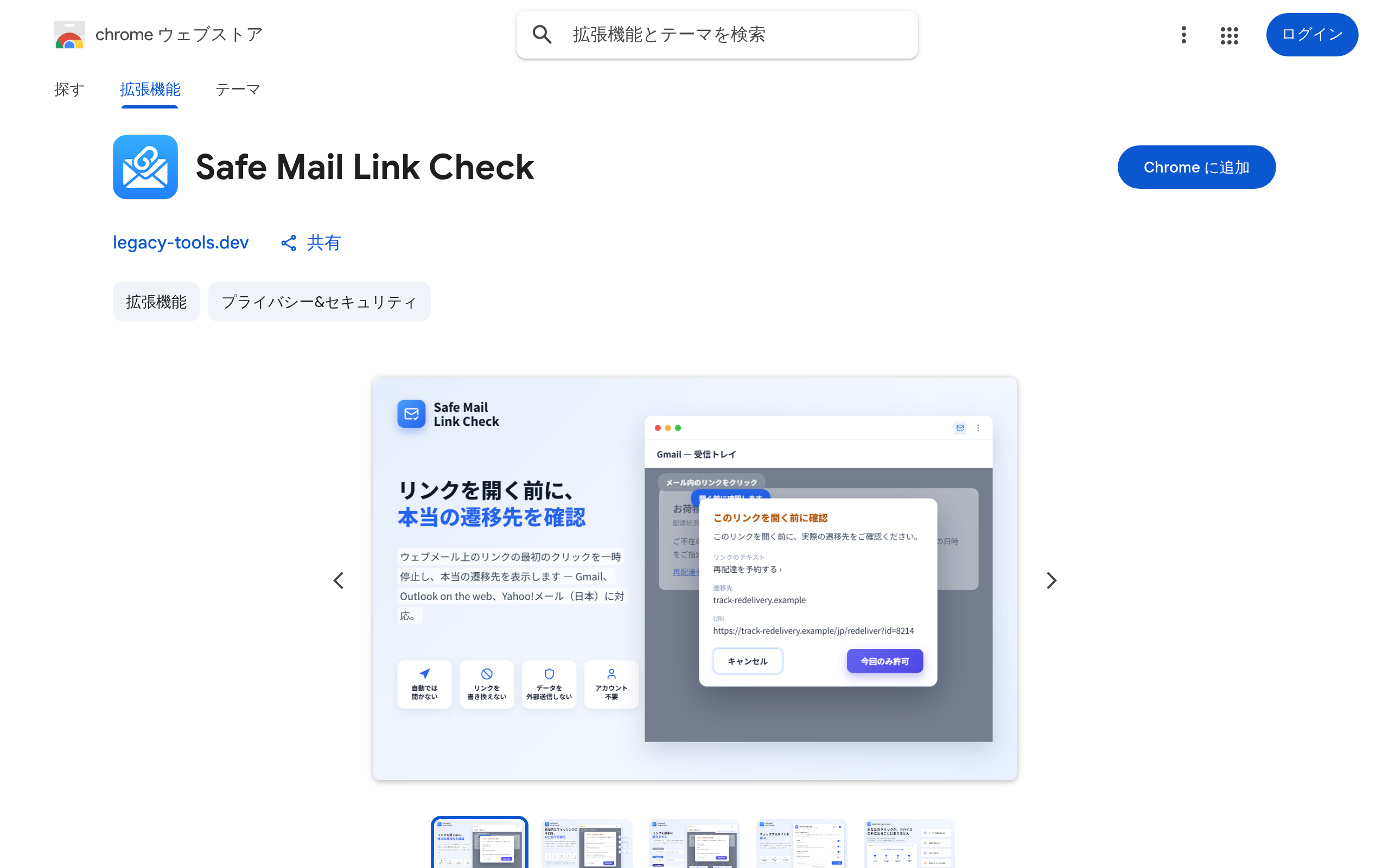
1Install
Just press “Add to Chrome” on the Chrome Web Store.
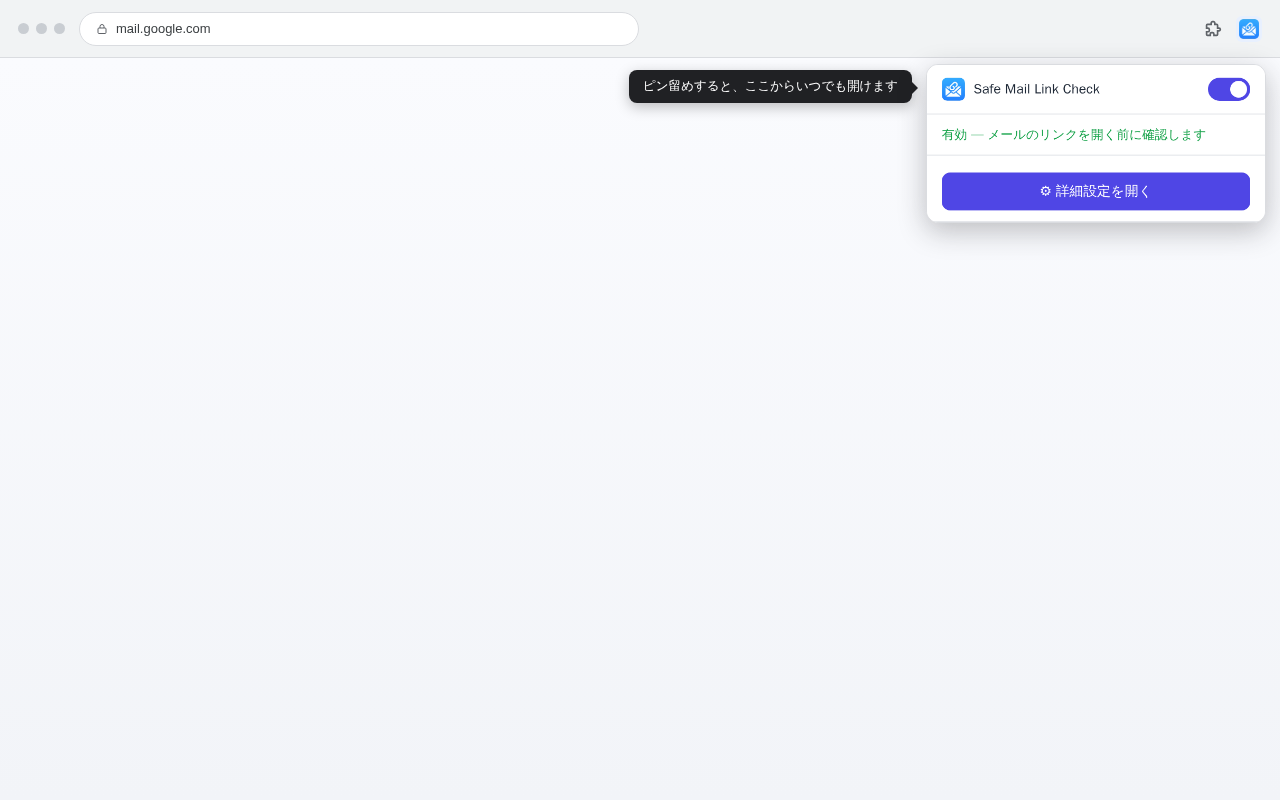
2Pin to the toolbar
Open the extensions icon (the puzzle piece) at the top-right of Chrome and pin Safe Mail Link Check so it’s always one click away.
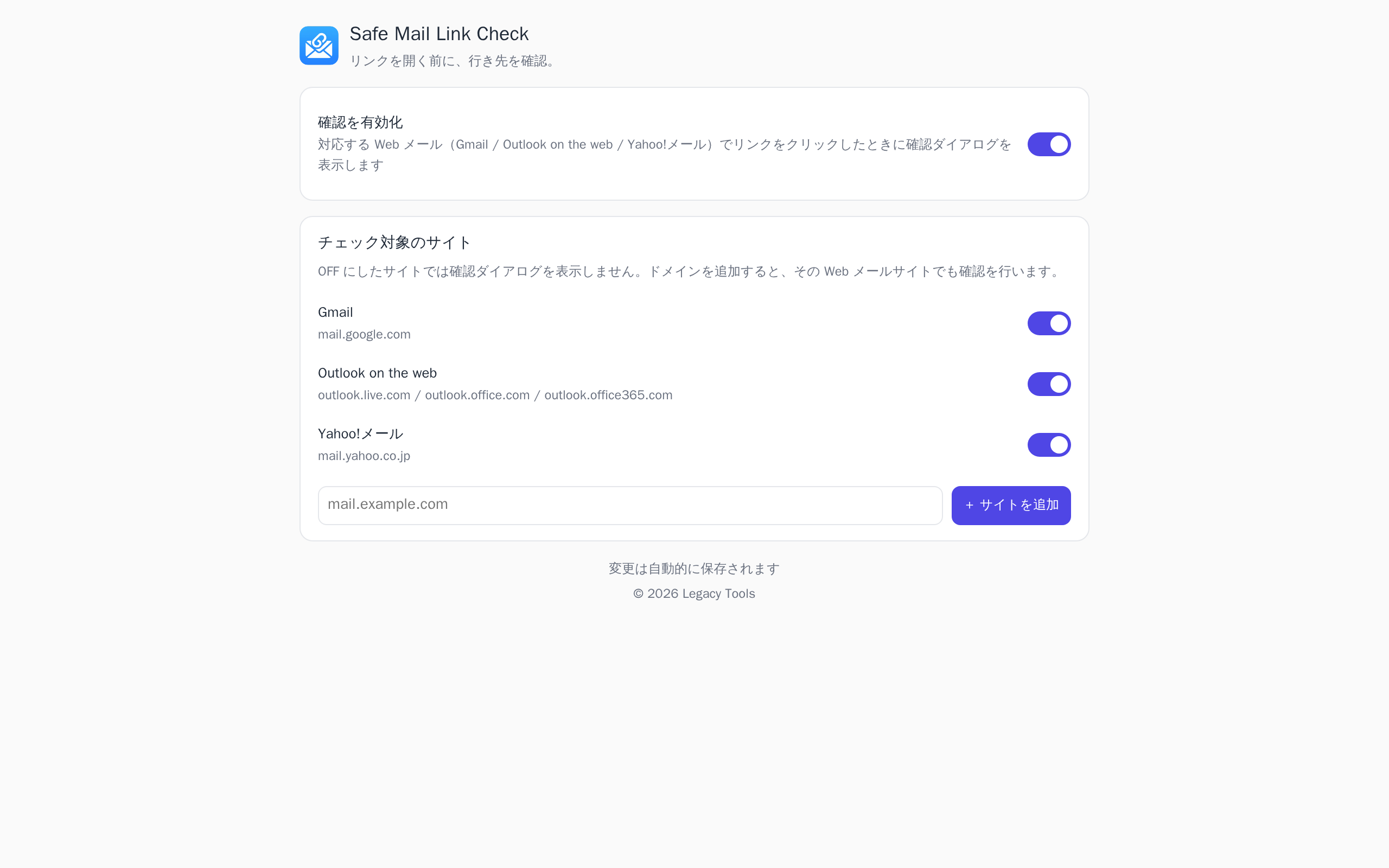
3Open the settings
Right-click the icon → "Options," or open the settings from the popup. Toggle each service ON/OFF and add sites to check.
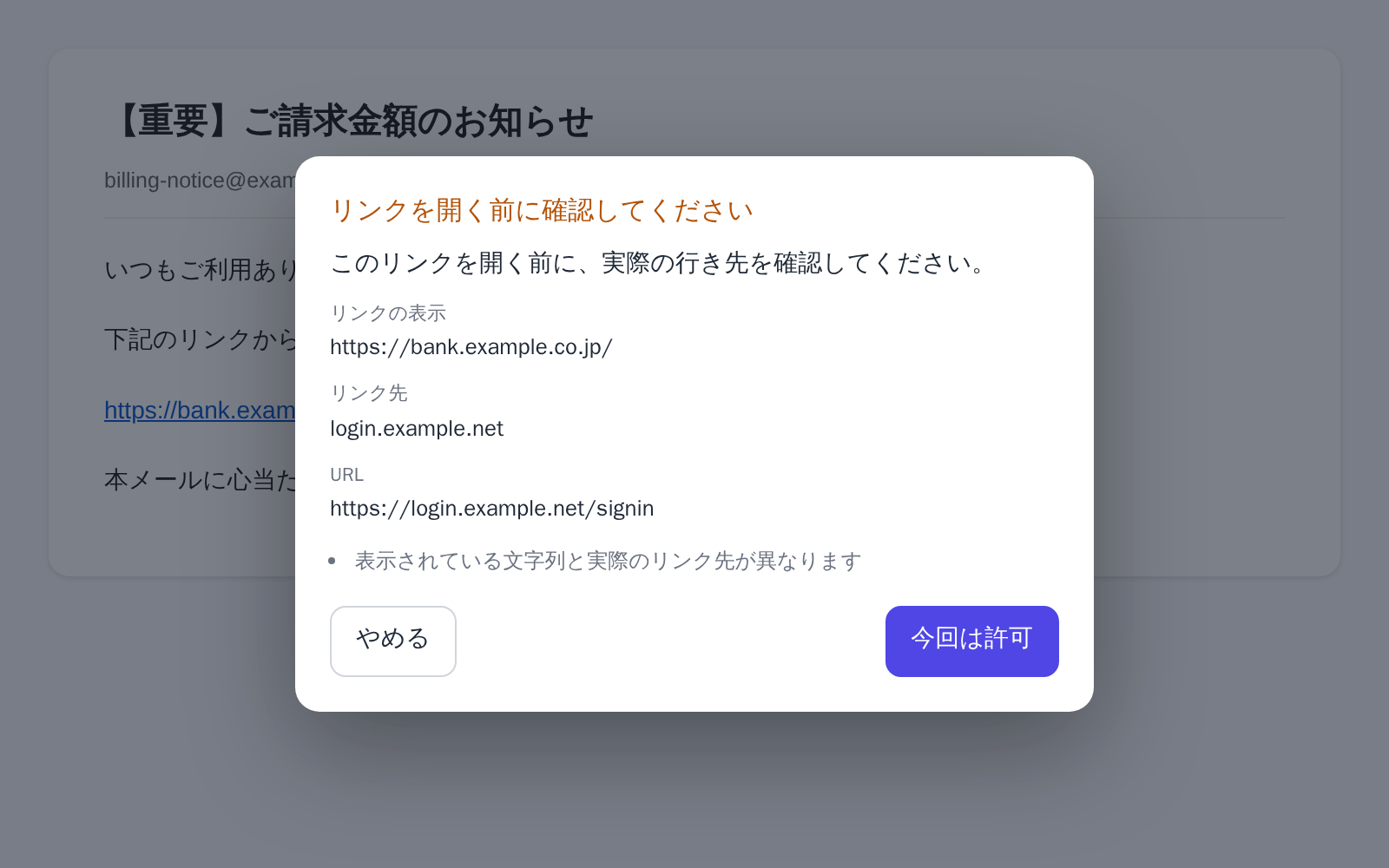
4See it in action
Click a link in your supported webmail and the confirmation dialog appears before it opens.
Open it any time from the extensions icon (the puzzle piece) at the top-right of Chrome.
PRIVACY
Our privacy promise
The extension checks the link you click without storing your email or browsing history.
Neither your email nor your click history ever leaves this extension.
It reads only the URL and visible text of the link you click, examines them on the spot, and discards them immediately.
Where data lives
Only your settings are stored on your device (chrome.storage.local). No click history or browsing history is recorded.
External traffic
No server, no analytics, no telemetry. There are no network-related permissions, and the extension has no means of sending anything anywhere.
Permissions needed
Site access exists so you can add your own webmail sites. On pages other than the supported services and the sites you added, it reads nothing. Beyond that it uses only settings storage (storage).
Frequently asked questions
MORE TOOLS
Other tools
Explore other tools you can use alongside this one.
See where it goes, before it opens.
Free to use. Link checks run on your device.
View on Chrome Web StoreLEGAL
Before you start
Read the privacy policy and terms of use below.