
 Safe Mail Link Check · MANUAL
See where a mail link starts to go.
When you click a link in supported webmail, a confirmation shows its displayed text and the first host in its URL. You decide whether to open it.
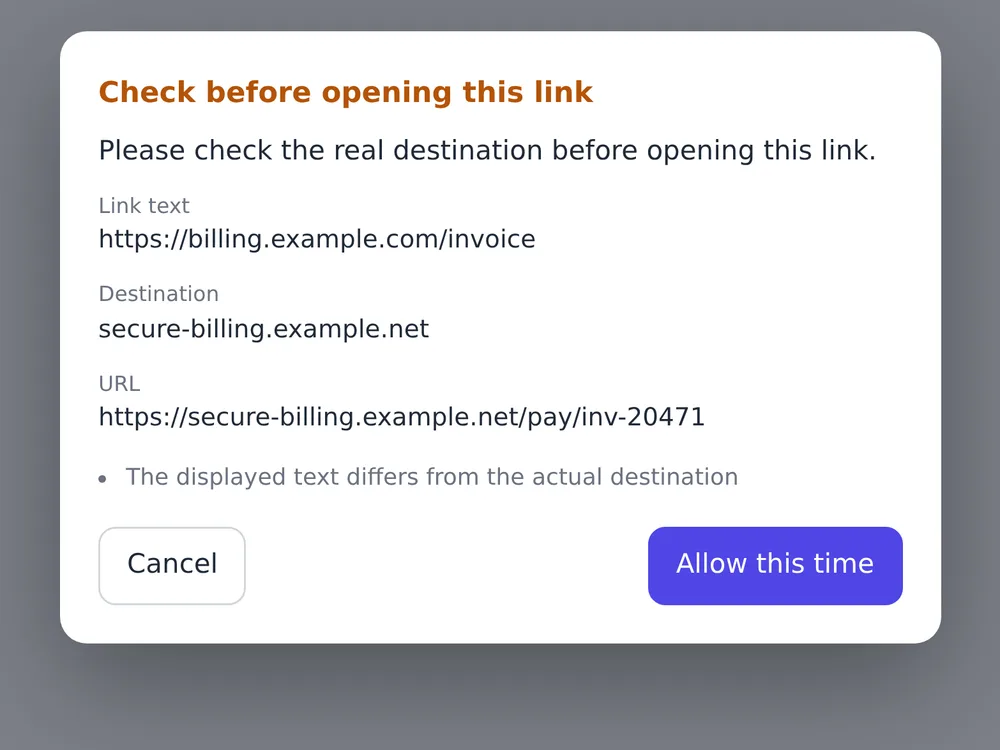
Review a link before opening it
Compare the link text and URL before you choose.
Add to Chrome
Add Safe Mail Link Check from the Chrome Web Store.
Watch the demo
Settings: what to choose and what changes
Choose which webmail sites should show link confirmations. There is no setting that automatically judges a destination as safe.
Open the settings
Open Safe Mail Link Check from Chrome’s extensions menu and use its settings button.
Save and apply
Switches and site-list changes save automatically in this browser.
Master switch and services
- Enable confirmation
- How to set it
Turn it on to use confirmations, or off to stop them globally.
- What happens
Off suppresses dialogs even on selected services. Turning it on reapplies each service’s setting.
- Sites to check
- How to set it
Toggle Gmail, Outlook on the web and Yahoo! Mail Japan individually. All are enabled initially.
- What happens
Disabled services do not show confirmations. Gmail targets eligible links in message bodies; Outlook and Yahoo mainly target external links. In-service navigation may pass without a dialog.
Add a custom webmail site
- Add site
- How to set it
Enter the webmail host, such as mail.example.com. A full URL is reduced to its host.
- What happens
External links on that host and its subdomains become eligible, including links outside message bodies. Links within the registered domain normally pass. Enter the mail site here, not a link destination.
- Remove a custom site
- How to set it
Use the remove button on that added site’s row.
- What happens
This removes coverage from that custom entry. To disable a built-in service such as Gmail, check its own switch too.
- Check the result
- How to set it
On an enabled webmail site, click a known external link.
- What happens
Compare the displayed text, destination host and URL in the dialog, then choose Cancel to stay on the page. The tool checks the initial link, not a guaranteed final destination after redirects or its safety.
Compare the link text and host.
Take a moment before opening a link you are unsure about.
An account verification email
A link may look official; check the initial host shown in its URL.

The final check is yours.
Safety is not judged
It shows mismatches and URL format cautions. It does not declare a link safe or dangerous.
Redirects are not followed
The host shown is the initial host in the clicked URL, not a later destination.
Allow does not open the link
After Allow this time, the link opens only if you click it again.
Only selected sites
Built-in and user-added webmail sites are covered. Settings stay on the device and click history is not recorded.